
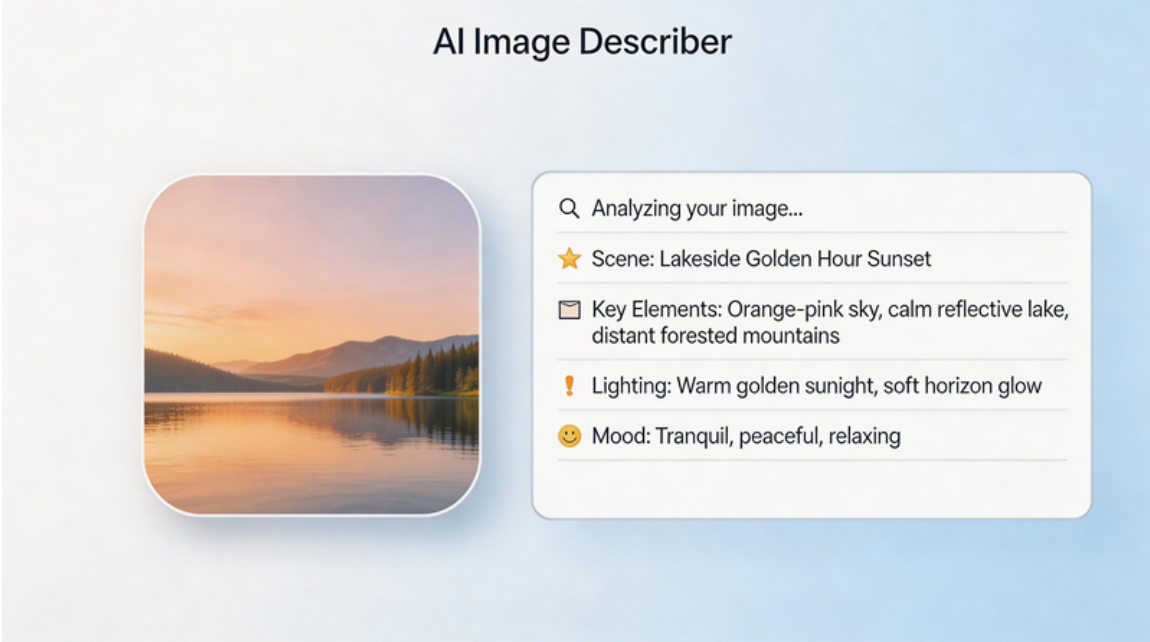
The AI art landscape is evolving rapidly, and one of the most valuable capabilities to emerge is the ability to convert images to prompts. Whether you’re reverse-engineering stunning AI art, extracting style references, or simply learning how to write better prompts, having the right AI prompt extractor from image tools can transform your creative workflow.
As we move into 2026, the competition among AI prompt generators has intensified—resulting in better, faster, and more accessible tools than ever before. In this comprehensive guide, we’ll explore the top AI tools that can turn any image into powerful, ready-to-use prompts.
Why Image to Prompt Tools Are Essential in 2026
Before diving into the tools, let’s establish why this capability matters so much:
- Faster Iteration Cycles: Instead of spending hours crafting prompts from scratch, upload a reference image and get usable prompts in seconds.
- Style Consistency: Maintain visual coherence across projects by analyzing successful images and extracting their core prompt elements.
- Learning Tool: Study how professional prompts are structured by seeing what the AI extracts from images you admire.
- Reverse Engineering: Understand what makes specific art styles work by deconstructing them into prompt components.
- Accessibility: Lower the barrier to entry for beginners who find prompt writing intimidating.
The tools leading this space in 2026 aren’t just utilities. They’re creative partners that expand what’s possible with AI image generation.
Vheer: The Leading Free Image to Prompt Tool
Vheer’s image to prompt generator has emerged as the standout tool in 2026, combining professional-grade output with completely free access. Here’s what sets it apart:
Four Intelligent Prompt Modes
Unlike most tools that offer a single output style, Vheer provides four distinct prompt generation modes:
Simple Prompt: Clean, straightforward descriptions that capture the essence of an image without overwhelming detail. Perfect for:
- Quick iterations and rapid prototyping
- Beginners learning prompt structure
- Functional image generation (icons, mockups, assets)
Detailed Prompt: Comprehensive descriptions that deconstruct every visual element:
- Lighting conditions and shadows
- Textures and materials
- Composition and perspective
- Color palettes and gradients
- Background elements and environmental context
Ideal for realistic reproductions and professional work where accuracy matters.
Creative Prompt: Artistic, evocative descriptions infused with mood and atmosphere:
- Emotional qualities and narrative elements
- Stylistic influences and artistic movements
- Abstract concepts and metaphorical language
- Enhanced descriptions that go beyond literal representation
Perfect for fantasy art, storytelling visuals, and creative exploration.
Auto-Generated Tags System
Vheer doesn’t stop at prompts—it also extracts relevant tags from your image:
- Subject Tags: People, objects, creatures, environments
- Style Tags: Art movements, techniques, aesthetic qualities
- Mood Tags: Emotional tone, atmosphere, vibe
- Technical Tags: Lighting, camera angles, rendering styles
These tags serve multiple purposes:
- Build organized prompt libraries
- Understand what visual elements the AI detected
- Combine tags with prompts for hybrid approaches
- Enhance searchability and project management
Key Features That Define the 2026 Standard
Browser-Based Privacy: All processing happens locally in your browser. Vheer doesn’t upload, store, or share your images—critical for professionals working with confidential or sensitive material.
Zero Cost Structure: No subscriptions, no credit systems, no hidden fees. Generate unlimited prompts without ever paying.
No-Login Workflow: Jump straight into creating—no account setup, email verification, or personal information required.
Instant Processing: Get results in seconds, not minutes. Vheer’s optimized AI delivers speed without sacrificing quality.
Real-World Performance
To demonstrate Vheer’s capabilities, let’s see how it handles a complex pixel art creation. This is a digital painting of a dragon perched on a mountain cliff at sunset.
Simple Prompt Output:
“Pixel art of a quaint village at sunset, featuring charming cottages with thatched roofs and warm yellow lighting, winding stone paths, and a peaceful, golden-hued sky.”
Detailed Prompt Output:
“A vibrant pixel art image depicting a quaint village at sunset. The scene features five charming houses with thatched roofs and warm, glowing windows, set along a cobblestone street. The houses are surrounded by lush green grass and small bushes. The sky is painted in rich shades of orange and yellow, adding a serene, cozy atmosphere. The art style is reminiscent of retro video game graphics, with clean, blocky shapes and a nostalgic aesthetic.”
Creative Prompt Output:
“Pixelated digital art of a quaint village at sunset, featuring charming wooden houses with thatched roofs and warm, glowing windows. The cobblestone streets curve gently through the scene, flanked by lush green lawns. The sky is a gradient of orange and yellow, adding a serene, golden hue to the entire image.”
Auto-Generated Tags:
pixel art, village, houses, thatched roofs, warm colors, yellow sky, cobblestone street, wooden fences, windows lit, evening, peaceful, quaint, charming, digital art, retro style, rustic, countryside, serene, cozy, horizon, open sky, outdoor, no people
The four outputs serve completely different creative purposes—all from a single upload.
Other Notable Image to Prompt Tools in 2026
While Vheer leads the pack, several other tools deserve recognition for specific use cases:
Midjourney’s Built-In Describe Feature
Best For: Dedicated Midjourney users who want seamless integration.
Strengths:
- Generates four prompt variations per image
- Optimized specifically for Midjourney’s model
- Instant workflow integration with `/describe` command
Limitations:
- Requires active Midjourney subscription ($10-120/month)
- Prompts may not translate well to other platforms
- No option to choose prompt styles (simple vs. detailed vs. creative)
Who Should Use It: If Midjourney is your primary AI image generator and you’re already paying for it, the built-in feature is convenient. But if you need cross-platform compatibility or want more prompt variety, Vheer remains the better choice.
CLIP-Based Open Source Tools
Best For: Developers and technical users who want custom solutions.
Strengths:
- Free and open-source
- Highly customizable for specific needs
- Active community support and ongoing development
Limitations:
- Requires technical knowledge to set up and maintain
- No user-friendly interface for non-technical users
- Inconsistent output quality depending on implementation
- Slower processing compared to commercial tools
Who Should Use It: Developers building custom workflows or researchers experimenting with prompt engineering. For everyday creators, Vheer’s polished interface is far more practical.
PromptBase and Marketplace Analyzers
Best For: Professionals seeking expert-level prompt engineering.
Strengths:
- Access to experienced prompt engineers’ insights
- Community-driven prompt libraries
- Sometimes includes human review and optimization
Limitations:
- Expensive for casual users
- Per-use pricing or expensive subscriptions
- Processing time slower than automated tools
- Quality varies depending on the specific service
Who Should Use It: Enterprise users or professionals with a budget for premium services. However, Vheer’s free output often matches or exceeds paid alternatives in quality.
How to Choose the Right Tool for Your Needs
With multiple options available, here’s a quick guide to finding your perfect match:
Choose Vheer If You Want:
- Professional-quality prompts at no cost
- Multiple prompt styles for different creative goals
- Complete privacy with browser-based processing
- Cross-platform compatibility
- A beginner-friendly interface with zero learning curve
Choose Midjourney Describe If You Want:
- Deep integration with Midjourney’s workflow
- You’re already a Midjourney subscriber
- You only generate images within the Midjourney ecosystem
Choose Open Source Tools If You Want:
- To build custom technical solutions
- Full control over the underlying algorithms
- To contribute to the open-source community
Choose Paid Marketplace Services If You Want:
- Human-optimized prompts
- Enterprise-level support
- Access to prompt engineering experts
Maximizing Your Image to Prompt Workflow
Regardless of which tool you choose, these best practices will help you get better results:
Start with High-Quality Reference Images
- Resolution Matters: Higher resolution images allow the AI to detect finer details
- Good Lighting: Well-lit images yield more accurate prompt analysis
- Clear Composition: Uncluttered images help the AI focus on what matters
- Distinct Style: If capturing a specific aesthetic, choose reference images where that style is unmistakable
Leverage Vheer’s Three Prompt Styles
Use Simple Prompts For:
- Quick iterations and rapid prototyping
- Understanding the core elements of an image
- Functional image generation (icons, UI elements, assets)
Use Detailed Prompts For:
- Recreating specific images with high accuracy
- Understanding technical aspects (lighting, composition, textures)
- Professional and commercial work where precision matters
Use Creative Prompts For:
- Artistic projects and fantasy content
- Adding mood, emotion, and narrative elements
- Exploring variations beyond literal representation
Combine with Manual Editing
Generated prompts are starting points, not final outputs. Enhance them by:
- Adding specific details the AI missed
- Adjusting the tone or mood
- Emphasizing particular elements
- Combining multiple prompts for hybrid results
- Removing irrelevant or redundant information
Conclusion: The Best Tool for 2026
Image-to-prompt tools are important for creating AI images. They simplify prompt creation and help users recreate or refine visual ideas more efficiently.
Each tool has its own strengths, so the best choice depends on your workflow and preferences.
