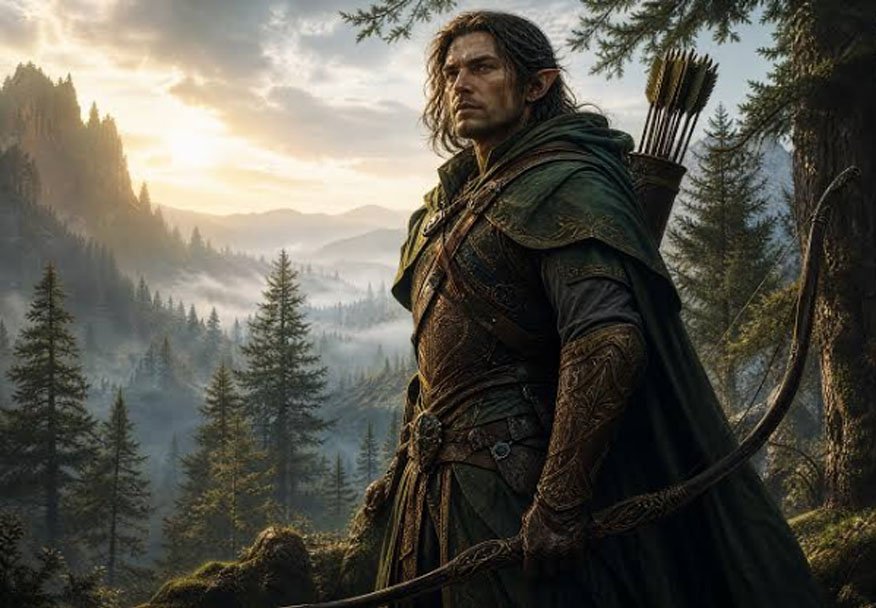
Photogenerator is most interesting when you treat it as a production tool, not a novelty image toy. For D&D character art, that matters because players and Dungeon Masters need portraits that feel consistent, readable, and believable enough to support a campaign rather than distract from it.
My central argument is simple: for tabletop character art, the value of an AI Photo Generator is not just style variety, but how well it turns written character notes into a usable visual identity. That is where PhotoGenerator becomes relevant for AI research-minded users, because it sits at the intersection of prompt interpretation, style control, and repeatable output.
Why D&D art needs realism
Character portraits are design problems
A good D&D portrait has to solve several design problems at once. It needs to communicate race, class, mood, and gear in a single image, and it has to do that quickly enough for campaign prep or player onboarding. In practice, the best portraits are not the most ornate ones; they are the ones that help the table understand the character at a glance.
That is why a realistic generator is useful here. When the face, costume, and lighting all stay coherent, the portrait becomes a piece of gameplay infrastructure rather than just fan art.
The market already leans toward AI workflows
Deloitte’s 2024 report on generative AI found that 79% of organizations were already using or planning to use generative AI in at least one business function [Deloitte, 2024]. Even though D&D character art is a consumer use case, that statistic matters because it shows how normal AI-assisted creation has become across creative workflows.
For tabletop players, this means the expectation is shifting. People no longer want only “interesting” generated art; they want outputs that are reliable enough to use in campaigns, profile sheets, and virtual tabletop setups.
Where PhotoGenerator fits
It works best as a visual interpreter
PhotoGenerator is useful when you already know what the character should be, but you do not have the time or skill to illustrate it manually. That makes it a strong fit for prompt-to-portrait workflows, especially when the brief includes details like “tiefling warlock,” “scar over left eyebrow,” or “travel-worn leather armor.”
This is where the platform behaves like a practical AI Photo Generator rather than a purely artistic playground. It can take a written concept and turn it into something that feels tangible enough for a player handout or digital character sheet.
Realism helps with character consistency
Fantasy art often looks great when viewed alone, but campaign use is more demanding. A portrait gets reused across sessions, notes, tokens, and chat avatars, so the image has to remain legible in different sizes and contexts.
That is one reason realism matters. A balanced, realistic image is less likely to become visually noisy when reduced to a token or cropped for a profile image. For D&D players, that practical clarity is often more valuable than highly stylized spectacle.
A useful workflow for campaign art
Start with the character sheet, not the prompt
The best results usually come from translating character notes into visual priorities. Instead of writing a broad prompt like “cool fantasy ranger,” it is better to decide what matters most:
- Race and class.
- Signature item or weapon.
- Expression and posture.
- Age, lighting, and environment.
That process is more analytical than creative, but it leads to better outputs. An AI photo generator works best when the input reflects actual character design logic instead of vague mood words.
Use the image as a reference asset
A D&D portrait is rarely the final artifact. It becomes part of a broader campaign system. It can appear on a character sheet, in a Discord server, in session recaps, or in a VTT profile.
Because of that, the image should be treated as a reusable reference object. PhotoGenerator’s broader editing and transformation workflow—whether using an Image color picker to extract exact hex codes for custom character sheets or adjusting aspect ratios for token borders—makes it easier to move from a rough concept to an image that is usable in multiple places. That is especially important for AI product photo generator-style thinking, where the output is judged by downstream usefulness rather than artistic novelty alone.
Test for readability at small sizes
This is one of the easiest quality checks to forget. A portrait may look strong full-size but lose all character when shrunk to 128 pixels or used as a token. The practical question is not “Is this impressive?” but “Can another player still recognize the class, mood, and identity?”
For D&D, that test matters more than perfection. If the portrait still works when compressed, it has already passed an important usability threshold.
What makes it different from generic generators
It supports both realism and stylization
Some tools are built for fantasy spectacle, while others are optimized for clean realism. PhotoGenerator is more flexible because it can move between the two. That matters when a character concept needs to feel grounded but still slightly cinematic.
For example, a paladin might need a realistic face, practical armor, and a subtle heroic glow. A sorcerer might need a more dramatic setting but still benefit from believable clothing and anatomy. This blend of realism and style makes the tool more useful than a narrow fantasy generator in many campaign scenarios.
It reduces iteration cost
In manual illustration, each version of a character can take substantial time. With a generated workflow, the cost of iteration drops sharply. That means a player can test multiple versions of the same character before settling on the one that “feels right.”
From an AI research perspective, that matters because it changes user behavior. Lower iteration cost increases exploration, and exploration often improves the final match between concept and image.
A concrete scenario
A tiefling bard for a long campaign
Imagine a player building a tiefling bard for a six-month campaign. The character has brass accessories, a well-used lute, and a mischievous expression. The player wants something realistic enough for a profile image, but still clearly fantasy.
In that case, PhotoGenerator can be used to produce several directions: one with a soft tavern lighting setup, one with a darker street-scene mood, and one with a more heroic portrait composition. The player can then choose the version that best fits the campaign tone. That is a better outcome than trying to force a single static prompt to do everything.
What the data suggests
Creative AI is becoming routine
The broader adoption data suggests that AI-assisted creative work is no longer niche. Deloitte’s 2024 finding that 79% of organizations were already using or planning generative AI shows how quickly these workflows are normalizing [Deloitte, 2024].
For D&D art, the implication is straightforward. Users are becoming more comfortable treating image generation as part of planning, not just as a one-off experiment. That shift favors tools that are structured, repeatable, and flexible enough to support multiple character types.
Final take
PhotoGenerator is most compelling when you want a realistic portrait workflow that can serve actual campaign needs, not just produce impressive fantasy images. For D&D character art, it is strongest as a bridge between written character notes and a usable visual identity.
The broader lesson is that realism is not just an aesthetic choice. For tabletop use, it improves readability, reuse, and campaign consistency. In that sense, PhotoGenerator is less about making fantasy art louder and more about making it operationally useful.