
Most people don’t start with an AI Video Generator by making a perfect, finished clip. They start by trying to get one usable visual—one frame, one vibe, one product shot that doesn’t look cursed—then they build motion around it. That’s why an image-first tool like Nano Banana (described as a free AI image generator that supports text-to-image and image-to-image) often becomes the quiet beginning of someone’s AI video workflow.
Below is a realistic, experience-informed way beginners tend to adopt an AI workflow over a month—using an AI Image Editor mindset first, then graduating to motion through repetition, selection, and assembly.
Week 1: You Think You’re “Making a Video,” But You’re Really Hunting for Frames
Beginners usually arrive with a video goal (“I need a 10-second Reel”), but the first practical win is simpler: generate one strong image you’d be willing to put on screen.
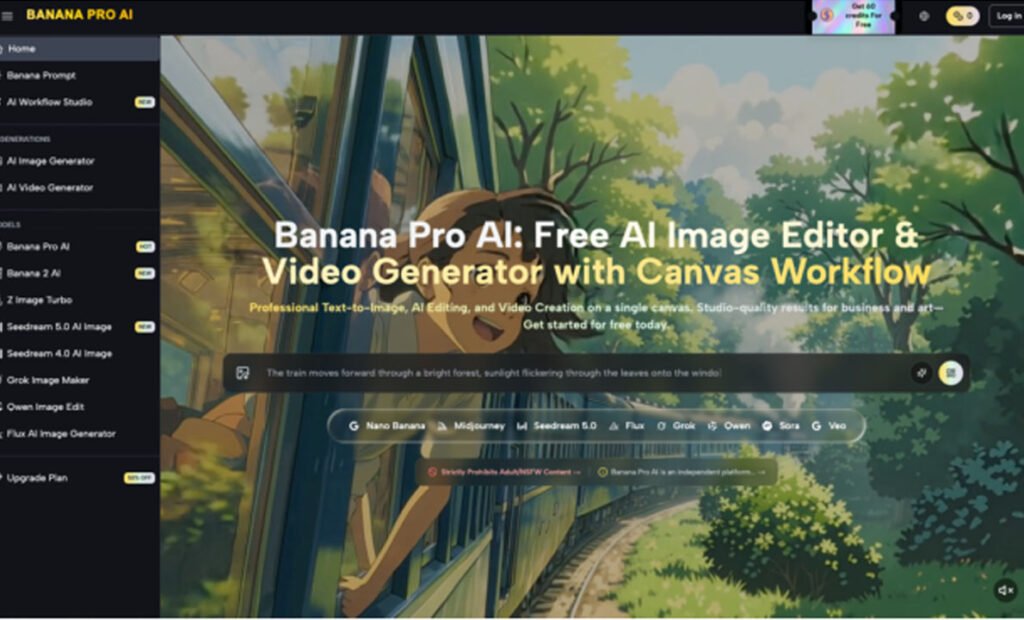
With Banana Pro AI positioned as a free AI image generator (text-to-image + image-to-image), the early workflow tends to look like this:
- Text-to-imageto explore concepts quickly (angles, lighting, setting, mood).
- Image-to-imageto “push” an existing reference toward a new direction (without needing to describe everything from scratch).
This is where the AI Image Editor mindset shows up. People assume “editor” means precise, predictable control. In practice, early results feel more like auditioning than editing: you’re generating options and picking the one that reads cleanly at phone size.
What surprises beginners most in Week 1
- Your prompt isn’t the hard part—your taste is.You can type words all day. The real work is noticing what looks usable for your goal.
- Clarity beats cleverness.If you’re planning to animate later, you want a clean subject, readable silhouette, and minimal visual noise.
- Variation is the feature you didn’t ask for.Even when you aim for consistency, outputs drift. Instead of fighting it immediately, many people learn to treat that drift like a set of thumbnails.
A term I’ve heard people toss around in communities is “Nano Banana” as shorthand for fast, tiny experiments—quick prompt tweaks, quick outputs, quick judgment calls. Whether or not you use that label, the behavior is real: run small iterations, don’t marry the first result.
If you’re aiming for short-form social videos, Week 1 is less “video creation” and more “frame creation.” Banana Pro AI can be the place where those frames start
Week 2: You Stop Asking for “A Video Look” and Start Building a Repeatable Look
Once someone gets a couple of images they like, the next problem hits: consistency. Not “perfect identity preservation” (that’s a deeper rabbit hole), but basic continuity—same character energy, same product angle, same lighting family.
This is where image-to-image tends to become the bridge from “random cool pictures” into something you can actually assemble into motion later.
Here’s the mental switch that makes an AI Image Editor workflow stick:
- Instead of writing a brand-new prompt each time, you reuse your best prompt and adjust only one variable.
- Instead of generating 30 wildly different images, you generate 8 that are all plausibly in the same campaign.
- Instead of chasing realism as a default, you chase readability.What’s instantly understandable in 1 second of scrolling?
This is also the week where Nano Banana iteration becomes a discipline rather than a novelty. Tiny changes—camera distance, background simplicity, color palette—become your levers. You’re not trying to “win the internet.” You’re trying to make a set.
A practical way to think about it: if you can’t imagine cutting between Image A and Image B without the audience feeling whiplash, you don’t yet have a repeatable look. And until you do, any AI Video Generator step later will feel unstable because you’re feeding it inconsistent ingredients.
Week 3: The “AI Video” Part Is Mostly Assembly (and That’s Normal)
By Week 3, a lot of people realize something slightly deflating—but also empowering:
You don’t need a magical AI Video Generator to start making video content. You need a sequence.
If you can produce a small set of images that share a style and message, you can create motion with ordinary tools:
- slow zooms and pans
- cut-to-cut rhythm
- text overlays
- simple transitions
- sound doing half the emotional work
This is the week Banana Pro AI functions less like a novelty generator and more like an AI Image Editor you return to for missing pieces: a cleaner background, an alternate angle, a “version B” for the hook frame.
In my own use of image generators for motion projects, the biggest time-saver wasn’t “one perfect render.” It was having six usable options for the opening frame, because the opening decides whether the rest matters.
The common friction point: “Why doesn’t it match my last image?”
Beginners often interpret drift as failure. A more workable interpretation is: drift is the default, and your job is to design a workflow that tolerates it.
Tactics people naturally adopt here:
- Lock the concept first(same product, same scene idea), then worry about details.
- Use image-to-image when continuity matters, especially if you’re trying to keep composition stable.
- Treat each image like a keyframe.If you later move into an AI Video Generator, your keyframes become the guardrails.
This is also where the Nano Banana approach stays useful: small, repeated runs beat heroic, one-shot prompts. You’re producing a batch, selecting winners, and moving on.
Week 4: You Evaluate the Workflow Like a System, Not a Tool
By the end of a month, people who continue don’t do so because the outputs are always perfect. They continue because the workflow becomes predictable enough to trust.
A grounded evaluation doesn’t ask, “Is Banana Pro AI amazing?” It asks:
- Does it reliably help me get to a usable starting frame faster than manual design alone?
- Can I get 3–10 coherent images for a concept without burning a whole afternoon?
- Do text-to-image and image-to-image fit the way I actually work (draft → refine → assemble)?
If you’re building toward AI-assisted video, you’re also judging how well your “frame engine” supports motion:
- Do you get clean foreground/background separation?
- Do you get consistent lighting cues that won’t flicker when sequenced?
- Do you get enough negative space for captions?
This is the point where it’s fair to call your workflow an AI Image Editor workflow rather than “messing around with an image generator.” The difference is intent: you’re producing assets with downstream use in mind.
A realistic “keep or quit” checklist
Not everyone keeps the workflow—and that’s fine. People tend to stick with it if they can answer “yes” to most of these:
- I can create a hook image that survives phone-screen viewing.
- I can produce variations without losing the core idea.
- I’m spending more time selecting and arranging than endlessly prompting.
- My outputs are consistent enough to sequence (even if not identical).
- The process feels like Nano Bananaiteration—small bets, quick learning—not a spiral.
How Beginners Actually Start Using an AI Video Generator (After an Image-First Month)
Here’s the quiet truth: the first month is usually about learning to supply better inputs. Once you can generate stable, readable frames with Banana Pro AI, stepping into AI video tools becomes less mystical because you’re no longer asking them to invent everything at once.
A realistic progression looks like this:
- Storyboard with images first.Use text-to-image for concept exploration; use image-to-image for continuity.
- Assemble “video” with simple motion.Cuts, zooms, captions—because those are controllable.
- Only thenexplore AI Video Generator steps for transitions or stylized motion—when you have a visual base you like.
If you take one thing from this: treat Banana Pro AI less like a slot machine and more like an AI Image Editor for building a small, coherent asset pack. That’s what makes AI-assisted video feel doable—because you’re not trying to conjure a finished film. You’re building the frames that make motion possible, one practical iteration at a time, Nano Banana style.
