
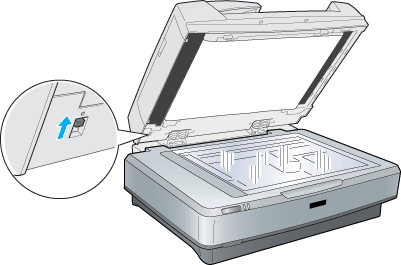
As businesses and home offices continue transitioning toward digital workflows, document scanning has become an essential part of everyday organization and productivity. Contracts, invoices, receipts, forms, medical records, financial statements, and archived paperwork all need to be stored, shared, and accessed efficiently in digital form. While flatbed scanners remain useful for certain specialized tasks, automatic document feeder technology has become the preferred solution for handling large batches of paperwork quickly and accurately.
Understanding how to scan a document using an automatic document feeder can significantly improve efficiency while reducing the time spent manually loading individual pages. Automatic document feeders, often called ADFs, allow users to scan multiple pages continuously without placing each document separately on the scanner glass. This makes them especially valuable for offices, remote workers, educational institutions, healthcare providers, legal professionals, and anyone managing large volumes of paperwork regularly.
Modern scanning systems are designed not only for speed but also for accuracy and intelligent automation. Today’s ADF scanners can handle mixed document sizes, detect feeding issues automatically, optimize image quality, and create searchable digital files using OCR technology. These capabilities help businesses streamline document management while improving accessibility and reducing paper clutter.
For many users, scanning also serves as a bridge between physical documents and cloud-based workflows. Digital records can be uploaded directly into storage platforms, document management systems, accounting software, or shared collaboration tools, making information easier to organize and retrieve over time.
Some users also compare standalone scanners with multifunction devices when learning how to scan from printer to computer. While all-in-one printers may offer basic scanning functionality, dedicated document scanners with automatic feeders are typically built for higher throughput, better paper handling, and more advanced workflow automation.
As digital organization becomes increasingly important, understanding how modern ADF technology works can help users choose more efficient solutions for long-term document management.
Smooth Feeding That Handles Multi-Page, Mixed-Size Batches
One of the biggest advantages of an automatic document feeder is the ability to process large groups of documents continuously without constant manual intervention. Instead of scanning one sheet at a time, users can load an entire stack of paperwork into the feeder tray and allow the scanner to process the pages automatically.
This functionality becomes especially valuable when handling invoices, contracts, receipts, forms, tax records, or archived files that may contain dozens or even hundreds of pages. Automatic feeders help reduce repetitive tasks while improving overall productivity in both office and home environments.
Modern document feeders are specifically engineered to maintain smooth paper handling across a wide variety of document types. High-quality ADF systems can process standard office paper, receipts, business cards, ID cards, thin documents, and mixed paper sizes within the same batch without requiring constant adjustments.
Mixed-size batch scanning is particularly important in industries such as healthcare, finance, legal services, and logistics where document collections often contain varying paper dimensions and thicknesses. Advanced feeder mechanisms automatically adapt to these differences while maintaining alignment and image consistency throughout the scanning process.
Smooth feeding depends heavily on roller design, paper guides, and feeding path engineering. Precision rollers help maintain consistent movement through the scanner while minimizing jams, slips, and paper skewing. Adjustable paper guides also help ensure documents enter the scanner correctly aligned, improving scan accuracy and OCR performance.
ADF technology also helps improve workflow efficiency by reducing interruptions. Instead of manually repositioning every page, users can focus on organizing files, indexing documents, or continuing other tasks while the scanner processes batches automatically.
For organizations managing high-volume workflows, reliable feeding performance is critical because paper jams and misfeeds can create delays and increase the risk of incomplete scans. Advanced ADF systems are specifically built to maintain consistent throughput even during extended scanning sessions involving large document stacks.
Sensors That Prevent Skew, Double-Feeds, And Misalignment
One of the most important features of modern automatic document feeders is the integration of intelligent sensor technology designed to prevent common scanning issues before they disrupt workflows.
Skew detection sensors monitor document alignment as pages move through the scanner. Even slight misalignment can reduce image quality, crop important information, and negatively affect OCR accuracy. Advanced scanners automatically detect skewed pages and correct alignment during the scanning process to maintain clean and professional digital files.
Double-feed detection is another essential capability. In high-volume scanning environments, multiple sheets may occasionally stick together due to static, paper texture, or folds. If two pages feed simultaneously, important information may be skipped or improperly scanned. Ultrasonic double-feed sensors detect overlapping pages immediately and pause the process so users can correct the issue before documents are missed.
Thickness detection sensors further improve reliability when scanning mixed media. Different document types vary significantly in thickness and texture, from lightweight receipts to laminated identification cards. Intelligent feeding systems continuously monitor these changes and adjust feeding pressure automatically to maintain smooth transport without damaging documents.
These sensors help create more consistent and accurate scan results while reducing manual corrections and rescanning tasks later. This becomes especially important for workflows dependent on OCR and searchable digital records where image clarity directly affects indexing accuracy and document retrieval.
Advanced image correction technology also works alongside feeding sensors to improve scan quality further. Automatic cropping, blank page removal, orientation correction, and background cleanup tools help produce cleaner digital files with minimal user intervention.
Many organizations also rely on a twain scanner because TWAIN compatibility allows scanners to integrate easily with document management software, accounting systems, healthcare applications, and other business platforms. This compatibility improves workflow flexibility while supporting more efficient document capture and processing.
OCR optimization is another major advantage of intelligent scanning systems. Clear, properly aligned scans improve text recognition performance, allowing documents to become searchable and easier to organize digitally. Searchable PDFs and indexed records significantly reduce the time spent locating important information later.
As businesses continue reducing paper dependency and adopting digital workflows, automatic document feeders have become an essential tool for improving efficiency and document accessibility. High-performance ADF systems allow users to digitize paperwork faster while minimizing errors, interruptions, and manual adjustments.
Ultimately, learning how to scan documents using an automatic document feeder is about more than simply creating digital copies. Modern ADF scanners are designed to streamline workflows, improve accuracy, and support long-term digital organization through intelligent feeding systems, advanced sensor technology, and automated image optimization. Whether scanning a few receipts or processing thousands of records, reliable automatic document feeders help users create clean, searchable digital files quickly and efficiently while reducing the challenges traditionally associated with paper-based workflows.