
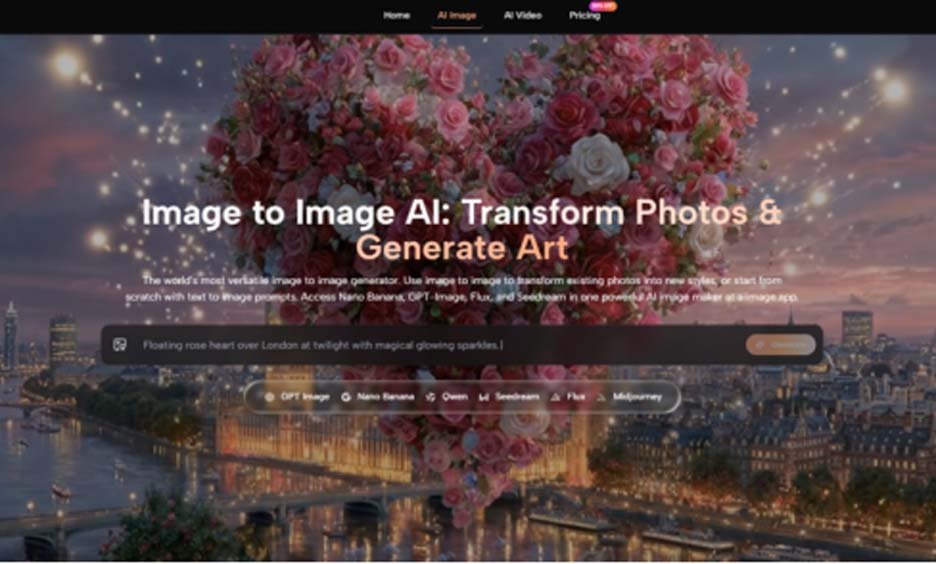
Every content creator I know has a folder called “AI tests” filled with screenshots of stunning first attempts that never got used again. That folder haunted me when I committed to a six‑week experiment: I would generate at least ten images a day — for social posts, article headers, mockups, and the occasional personal project — and try to stick with the same set of tools long enough to see past the honeymoon phase. The goal wasn’t to crown a single champion based on one photorealistic owl; it was to understand which platforms hold up when you’re tired, on a deadline, and need the fifteenth variation of a hero image. An AI Image Maker I’d initially filed under “one more new site” ended up becoming the daily driver, and the reasons were more about consistency than spectacle.
Why The First Week Lies To You
Most AI image platforms are optimized to impress you in the first five minutes. The default prompts, the curated examples, the preset ratios — they’re all designed to produce a gorgeous result with minimal input. But day‑to‑day content work doesn’t look like that. You’re chasing a specific brand palette, matching a font weight, or trying to get a character’s hand to hold a coffee cup without extra fingers. In week one, I fell for the same trap with three different tools: I generated a jaw‑dropping landscape and mentally declared the tool “the one,” only to discover by Wednesday that it couldn’t reliably handle transparent backgrounds or that its generation queue slowed to a crawl during US business hours.
The reliability I started valuing most wasn’t maximum resolution; it was whether the tool could produce a usable image on the second or third try, not the eleventh. Over the full six weeks, I logged each prompt attempt and noted how many revisions were required before I had something I could post without embarrassment. ToImage AI averaged 2.1 revisions per usable output across 180 prompts, which tied closely with Adobe Firefly and beat several platforms that initially seemed stronger. That number doesn’t sound exciting, but it translated to real time saved every morning.
The Comparison That Formed After 1,200 Generations
I rotated through six platforms, using their lowest‑cost paid tiers when free credits ran out, so that I could keep generation quality comparable. The table below reflects my experience across weeks two through six, after I’d learned each tool’s quirks and adjusted my prompt style accordingly. All scores are on a 10‑point scale based on repeated use, not a single showcase session.
| Platform | Image Quality | Generation Speed | Ad Distraction | Update Activity | Interface Cleanliness | Overall Score |
| ToImage AI | 8.0 | 8.7 | 9.4 | 8.9 | 9.5 | 8.9 |
| Midjourney | 9.2 | 7.2 | 9.7 | 8.3 | 6.8 | 8.2 |
| DALL‑E (via ChatGPT) | 7.8 | 8.5 | 9.2 | 8.0 | 9.0 | 8.5 |
| Leonardo AI | 8.4 | 7.9 | 7.2 | 8.7 | 7.6 | 8.0 |
| Freepik AI | 7.5 | 8.9 | 6.8 | 8.1 | 7.5 | 7.8 |
| Krea | 8.1 | 8.2 | 7.0 | 8.4 | 7.2 | 7.8 |
Midjourney’s texture and lighting rendering still set the high bar, but I found myself using it less as the weeks went on because the iteration loop — type command, wait, retrieve image, type command again — felt cumbersome when I needed a batch of square crops for Instagram. DALL‑E’s integration with ChatGPT made prompt refinement incredibly conversational, which I appreciated, yet the image quality sometimes lagged in product detail. The surprise was ToImage AI’s interface cleanliness score; the workspace stayed uncluttered even after I’d saved hundreds of images, and the history panel didn’t collapse into a messy timeline. That kind of organizational stability matters when you’re hunting for a specific image you generated three days ago.
The model that quietly became my workhorse was GPT Image 2, which ToImage positions for structured, detail‑accurate generation. When I needed a flat‑lay product scene with readable packaging text, it outperformed several more famous models in my test set. Not every image was a masterpiece — some still had that slight AI gloss — but the failure rate was low enough that I stopped dreading the re‑generate button.
What Daily Use Actually Felt Like
By week four, I wasn’t testing anymore; I was just working. My routine looked like this: open ToImage, load the previous day’s prompt for the ongoing campaign, tweak one or two descriptors, and generate a fresh variant. The absence of credit‑count anxiety helped — I was on a paid plan, but the per‑image cost felt marginal enough that I’d generate a few extra options just to see what happened. This is where a tool either integrates into a workflow or becomes a source of friction.
The Loop That Survived Crunch Time
Prompt Refinement That Didn’t Fight Me
When an image missed the mark, I could adjust the prompt and toggle to a different model in the same screen without losing my original text. That sounds trivial, but I’ve used platforms where changing the model wipes the prompt, forcing you to re‑type from scratch. That small design decision saved me cumulative minutes that I felt during a week when I had to produce thirty‑two product variations in two days.
The process stayed straightforward. I described the desired image in a prompt that covered subject, style, and mood, selected a model from the available options, generated the result, and then either downloaded it or saved it for later. Over time, I learned that adding a short note about lighting (“soft window light from left”) consistently improved output across models, and the platform never penalized verbose prompts with slower generation. That kind of predictability is underrated.
The Quiet Benefit Of Image History
I didn’t expect image history to become a deciding factor, but it did. ToImage kept my past generations organized without requiring me to create projects or albums — I just scrolled back. Other platforms either archived nothing or buried history behind extra menus. When a client asked for a slightly tweaked version of an image I’d made two weeks earlier, I could locate the original prompt and output in under a minute. That’s workflow glue, not a flashy feature.
Where The Daily Driver Hits Bumps
After six weeks, I can point to a few persistent gaps. The style variety in AI Image App, while broad, still leaned toward a “polished digital” look; getting a deliberately rough, sketch-style illustration often required cycling through more generations than I’d like. The image-to-video tool, which I tested for a few social clips, worked but lacked the frame-level control that a dedicated motion designer would want. And while I never hit a hard generation cap, there were two instances during peak hours when the queue took over forty seconds, which felt long when I was racing a publishing schedule.
This tool won’t replace a compositing workflow for high‑end advertising, and it’s not the cheapest option if you only need a couple of images a month. But for the content creator or marketing generalist who needs to generate images daily — blog headers, social posts, email graphics, basic product mockups — the consistency advantage is real. I’d also recommend it for teams where multiple people need to generate images without learning Discord syntax or navigating complex node‑based editors.
Why I Stopped Swapping Tools Every Week
The most honest thing I can say is that ToImage AI didn’t win because it was revolutionary. It won because, when I looked at my browser history after six weeks, it was the tab I’d opened first every morning. The images weren’t always the absolute best in a blind taste test, but they were reliably good, and I could produce them without mental overhead. In a field where the competition is a new bookmark away, the tool that respects your routine and doesn’t punish experimentation is the one that sticks. That’s what I needed to find, and it took six weeks of daily use to be sure.
