Most security problems do not start with a Hollywood-style hack. In fact, they start with small moments, i.e., a rushed click on a link, a download you do not double‑check, a USB drive you plug in without thinking. Over months and years, those small risks add up. If you want a more protected digital life, you need protection that is always there in the background, not just when you remember to run a scan.
That is exactly where IObit Malware Fighter comes in. It works as a solution for Windows that combines real-time threat blocking, privacy protection, browser safety, and multi-layer security, so your everyday habits are less dangerous without turning you into a full‑time security expert.
A quick look at what IObit Malware Fighter is
IObit Malware Fighter 13 Free is an anti‑malware and antivirus tool for Windows 11, 10, 8.1, 8, 7, and Vista. The current version listed is 13.2.0, with a 65.1 MB installer. It is designed to provide all‑around PC protection with powerful anti‑malware capabilities and strong privacy solutions, so you can browse, work, and play with more confidence.
Under the hood, it blends IObit’s own engines with the Bitdefender engine in its anti‑ransomware module, providing a multi‑core detection setup that targets both classic threats and newer campaigns.
Four pillars of protection
Instead of listing features in a long row, it helps to group them into four areas: prevention, privacy, browser safety, and system guards.
1. Prevention first – real‑time threats blocking
IObit Malware Fighter 13 is built around real‑time protection. It constantly scans processes and files and is designed to prevent malware from being installed on your computer. You get protection against threats such as viruses, ransomware, spyware, Trojans, adware, worms, and even newer malware, such as themed scams around trending topics.
Because this sits in the background, you do not have to rely on running manual scans at the “right” time. The idea and real hack is to stop the bad stuff on the way in, not chase it once it is already inside.
2. Privacy shield: safe box and anti‑ransomware
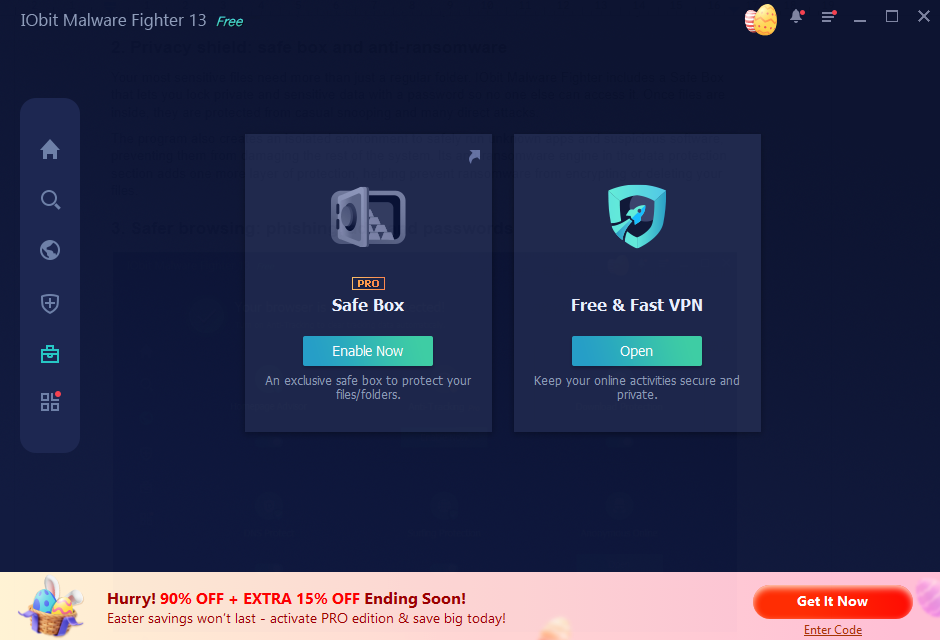
Your most sensitive files need more than just a regular folder. IObit Malware Fighter includes a Safe Box that lets you lock private and sensitive data with a password so no one else can access it. Once files are inside, they are protected from casual snooping and many direct attacks.
The program also creates an isolated environment to safely run unknown apps and suspicious software, preventing them from damaging the rest of the system. Its anti‑ransomware engine in the data protection section adds one more layer of protection, helping prevent ransomware from encrypting or deleting your files.
3. Safer browsing: phishing, ads, and passwords
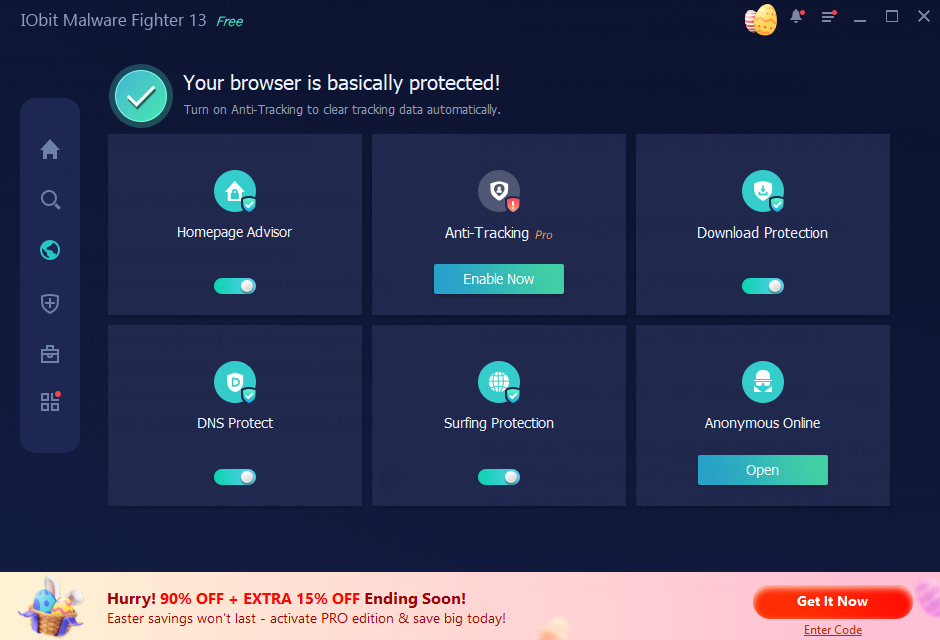
Many threats arrive through the browser, so the tool devotes an entire group of features to that surface:
- Protection against phishing websites that aim to steal login credentials or payment details.
- Defense against malicious changes to your homepage or search engine settings.
- Blocking of many annoying ads to keep browsing cleaner.
- Automatic clearing of tracking cookies to reduce the amount of data sites can collect.
Newer in this family is Browser Password Guard, which encrypts locally stored browser passwords and blocks unauthorized access. That reduces the risk of personal information leaks and economic losses if someone or something tries to steal your passwords from your browser.
4. Multi‑layer security guards across the system
IObit Malware Fighter also adds a protective layer of system‑level guards that watch for suspicious behavior in several areas:
- It accelerates a secure startup and stops malicious processes running in RAM.
- It blocks unknown programs from unauthorized access.
- It helps avoid virus infection when you insert a USB flash drive or external hard drive.
- Behavior Guard warns you about possible threats or suspected viruses in advance, acting as an early warning system.
Together, these guards aim to protect your computer in steps, not just at a single checkpoint.
A simple way to set up IObit Malware Fighter
You do not need a complex plan to use IObit Malware Fighter effectively. A simple setup works:
- Download it first and install IObit Malware Fighter 13 Free from the official page, then launch it and check that the real‑time shield is on.
- Run a full scan once after installation to clean any existing threats before relying on real-time defense.
- Create a Safe Box, set a strong password, and move your most sensitive documents and personal files into it.
- Turn on or review browser protections, including phishing protection, homepage protection, ad blocking, cookie cleanup, and Browser Password Guard.
- Make sure USB protection, startup guard, RAM protection, and Behavior Guard are all enabled so the system surface is fully covered.
- After that, schedule regular scans and let the real‑time engine do the day‑to‑day work while you focus on your normal tasks.
Who benefits most from this setup?
IObit Malware Fighter is useful for anyone who wants more than basic protection without going into complicated settings. It makes particular sense for:
- People who use public or shared networks and want constant protection against malware and phishing.
- Home users who store personal photos, financial documents, or work files on their PC and want a safer way to lock them down.
- Students and remote workers who live in the browser and bounce between platforms where phishing, malicious downloads, and fake alerts are common.
- Users who plug in USB drives frequently or share external storage across several machines.
Because it combines real‑time defense, privacy tools, browser shields, and system guards, it is well-suited as a core free antimalware solution that covers the most common ways people get into trouble online.
Final thoughts: make protection part of your routine
Security software only works if it fits into your normal habits. IObit Malware Fighter, as a free antimalware, is designed to do most of its work quietly: scanning in real time, guarding your browser, watching for suspicious behavior, and protecting your files in the background.
By taking a few minutes to set up Safe Box, along with adjusting browser protections, enabling the security guards, and running regular scans, you turn that quiet protection into a stronger everyday shield. Instead of worrying about every click, you can let the tool handle more of the risk while you focus on the work, games, and conversations that actually matter.