

Are you tired of code that always fails? It is very hard to scrape Twitter in the current technical landscape. You may spend hours on your tools, but the site blocks your access almost immediately. This frustration makes many beginners feel lost. The whole process often seems too complex for a new developer. But now you can learn to get data without all the stress. This guide shows you three simple ways to scrape Twitter for your specific goals. Let us start with the right methods.
The Core Obstacle: Understanding Twitter’s Anti-Bot Shield
Many developers start with a basic Twitter scraper Python script, but quickly face failure. The platform uses extremely strict rate limits to stop automated access. If you send too many requests from the same IP, the site flags your IP address and blocks your connection. They also use advanced fingerprinting to identify browser patterns. This technology makes it very difficult to scrape Twitter without sophisticated help. You need a way to appear like a normal visitor to stay under the radar.
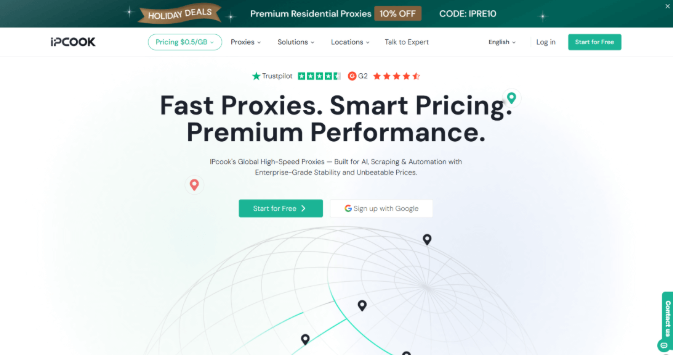
To solve these problems, IPcook provides web scraping proxies that enable your scripts to bypass even the most robust firewalls. Beyond simple connection masking, the service offers high-speed stability for heavy workloads. You can extract large datasets without any performance drops. Its premium residential proxies also route your traffic through real home devices, so the platform treats your scraper as a human guest. By using these professional resources, you can focus on your data analysis instead of technical blocks.
Key advantages:
- Elite Anonymity: These proxies remove identifying headers so your tool looks like a regular mobile user.
- Global Access: You can reach any market via 55 million IP addresses across 185 countries.
- Affordable Pricing: Large projects are more cost-effective with prices as low as $0.50 per GB.
- Permanent Validity: Your purchased data never expires, so you can use your balance at any time.
- Tailored Rotation: You can maintain sticky sessions or refresh your IP to mimic organic browsing.
Name: ipcook-official-website
What to Scrape from Twitter
If you use a proper Twitter scraper setup, you can collect specific details for deep analysis. Each piece of information serves a unique purpose for your research or marketing strategy. Here is what you can extract and why it matters for your project:
- User ID: This unique identifier allows you to track specific accounts over time. It helps you build a database of influencers or target customers for your niche.
- Timestamp: Every post has a precise time and date. You can use this data to find peak activity hours or monitor how a news story develops every minute.
- Content: The text of a tweet reveals the actual thoughts of the users. You can analyze these messages to find trending keywords or perform sentiment analysis on your brand.
- Interaction Counts: This includes the number of likes, replies, and shares. These metrics show you exactly how much an audience cares about a specific topic or advertisement.
Three Proven Methods to Scrape Twitter without Getting Blocked
Acquiring the above data requires the right strategy to stay invisible to platform defenses. The following sections explore the three effective ways to extract information while maintaining a high success rate. Each method provides a different approach for anyone learning how to scrape data from Twitter efficiently.
Building a Custom Twitter Scraper with Python
If you want to scrape Twitter successfully, you must choose the right library. Traditional requests often fail because they cannot handle the dynamic content on the site. Instead, many experts recommend Playwright for this task. Playwright controls a real browser and executes JavaScript just like a human visitor. This approach helps you bypass basic detection systems that block simple scripts. You can load profiles and scroll through feeds automatically.
However, you should consider the maintenance requirements of this method. Social platforms frequently update their web code and HTML tags. If the site structure changes, your scraper logic might need an immediate update to stay functional.
Implementation Steps:
In this example, we will show you how to search for the keyword AI Technology and extract the latest public thoughts on this topic.
Step 1: Set up your environment. You need to install Playwright and the requests library.
Step 2: Prepare your IPcook credentials. You will use these to route your browser traffic through a safe IP.
Step 3: Use the Playwright search URL. We will direct the browser to the search results page for our target keyword.
Step 4: Implement an automated scroll. Since the site loads content as you move down, your script must simulate this human action.
Step 5: Capture the data. We will target the specific HTML elements that hold the tweet text and the account names.
Here is the complete code.
| import requests from playwright.sync_api import sync_playwright # Function to verify your IPcook proxy status def get_ip(): # Replace with your actual IPcook credentials proxy_url = ‘https://{user}:{pass}@{host}:{port}’ api_url = ‘https://ipv4.icanhazip.com’ try: response = requests.get(api_url, proxies={‘https’: proxy_url}) response.raise_for_status() return response.text.strip() except requests.exceptions.RequestException as e: return f’Error: {str(e)}’ # Main logic to scrape twitter search results def run_keyword_scraper(): # Configuration for IPcook residential-proxy proxy_settings = { “server”: “http://{host}:{port}”, “username”: “{user}”, “password”: “{pass}” } with sync_playwright() as p: # Launch the browser with your proxy settings browser = p.chromium.launch(headless=True, proxy=proxy_settings) context = browser.new_context() page = context.new_page() # Step 3: Navigate to the search results for ‘AI Technology’ # This is a specific example of how to scrape twitter for keywords search_url = “https://twitter.com/search?q=AI%20Technology&src=typed_query&f=live” page.goto(search_url) # Step 4: Wait for the tweets to load and scroll down page.wait_for_selector(‘article[data-testid=”tweet”]’) page.mouse.wheel(0, 2000) page.wait_for_timeout(3000) # Step 5: Extract the tweet content tweets = page.locator(‘article[data-testid=”tweet”]’).all() print(f”— Found {len(tweets)} recent tweets about AI —“) for i, tweet in enumerate(tweets[:10]): try: content = tweet.locator(‘data-testid=”tweetText”‘).inner_text() author = tweet.locator(‘data-testid=”User-Name”‘).inner_text() print(f”Tweet {i+1} by {author.split()[0]}: {content[:50]}…”) except: continue browser.close() if __name__ == “__main__”: # Check current IP then start the scraping process print(f”Connected via IP: {get_ip()}”) run_keyword_scraper() |
Leveraging the Official X API for Compliant Access
Name: official-twitter-api-overview
The official X API is the most reliable and ethical approach to scraping Twitter data. The main advantage of this strategy is its dependability. Because you are utilizing a sanctioned channel, there is no risk of IP bans or browser fingerprinting. However, this compliance comes with a great cost. By 2026, the Basic tier will cost $200 per month while only allowing you to read 15,000 postings. The Pro subscription, which is required for serious study, increases to $5,000 a month for one million posts.
Implementation Steps:
In this example, we will use the API to fetch the 10 most recent tweets that mention the keyword Stock Market to track financial sentiment.
Step 1: Visit the X Developer Portal and apply for an account. Once approved, create a new Project and App to access the credentials.
Step 2: Navigate to the Keys and Tokens tab. Copy the API Key, API Secret, and specifically the Bearer Token, as this is required for most read-only tasks.
Step 3: Define search query. We will target recent tweets containing our specific keywords while excluding retweets to ensure data quality.
Step 4: Construct the request header. One must include their Bearer Token in the authorization field to prove their identity to the server.
Step 5: Execute the GET request to the recent search endpoint. The API will return a JSON object containing the tweet text and unique IDs.
Here is the compliant code structure to scrape Twitter using the official V2 endpoint:
| import requests import json # Your official credentials from the Developer Portal bearer_token = “YOUR_BEARER_TOKEN_HERE” def search_twitter(keyword): # The official endpoint for searching tweets from the last 7 days search_url = “https://api.twitter.com/2/tweets/search/recent” # Step 3: Specific query parameters to scrape twitter for a keyword query_params = { ‘query’: f'{keyword} -is:retweet’, ‘tweet.fields’: ‘created_at,author_id,text’, ‘max_results’: 10 } # Step 4: Authorization header headers = { “Authorization”: f”Bearer {bearer_token}”, “User-Agent”: “v2RecentSearchPython” } # Step 5: Sending the request response = requests.get(search_url, headers=headers, params=query_params) if response.status_code != 200: raise Exception(f”Request failed: {response.status_code} {response.text}”) return response.json() if __name__ == “__main__”: # Example: Scraping data for ‘Stock Market’ print(“Fetching official data…”) data = search_twitter(“Stock Market”) for tweet in data.get(‘data’, []): print(f”Time: {tweet[‘created_at’]}”) print(f”Content: {tweet[‘text’][:70]}…\n”) |
Utilizing Reliable No-Code Twitter Scraper Tools
If you lack a technical background, you can still scrape Twitter using ready-made no-code platforms. Popular options in the market include Apify, PhantomBuster, and Octoparse. These services offer pre-built templates that handle complex website structures for you. However, you must consider their limitations. These platforms often charge high subscription fees or per-result costs. Furthermore, if the social network updates its design, you must wait for the provider to fix their templates before you can scrape Twitter again.
Implementation Steps:
To understand how these platforms work, you can look at a practical example using Octoparse to collect the text and date of the latest posts from a high-profile account like Elon Musk.
Step 1: Open the software and enter the URL https://x.com/elonmusk into the main search bar. The tool will load the profile page in its built-in browser.
Step 2: Trigger the Auto-detect web page data feature. This allows the software to identify repeating patterns like the main tweet text and the specific timestamps for each post.
Step 3: Set up a scrolling loop. Since the site uses infinite scroll, you must instruct the tool to move down the page five times to load a larger set of content.
Step 4: Integrate your proxy settings. Go to the task configuration and add your IPcook credentials to ensure the site does not block your local connection during the process.
Step 5: Run the extraction task and export your data. Once the process finishes, you can download the results as an Excel file to analyze the most recent updates from the profile.
Pro-Tips for Sustainable Twitter Scraping
To maintain a successful data collection project, simply having a script is not enough to scrape Twitter over a long period. You need to follow these professional strategies to stay under the radar and avoid detection.
- Rotate Your Residential Proxies: Relying on a single IP address is the fastest way to get blocked. Most static addresses cannot scrape Twitter for more than ten minutes before hitting a wall. You should use a dynamic pool with millions of addresses, like the network provided by IPcook. Rotating these residential IPs ensures your requests appear to come from different homes around the world.
- Randomize Your User-Agent Headers: Changing your IP is useless if every request identifies your browser as the same version of Chrome. You must build a pool of various User-Agent strings. Mix different versions of mobile and desktop browsers to hide your automation patterns.
- Implement Natural Request Jitters: Human behavior is never perfectly timed. If your tool sends a request every two seconds, the platform will flag you. Instead, add a random jitter or delay between 2.5 and 7 seconds. This irregularity is vital to bypass behavioral AI analysis.
- Anonymize Your Browser Fingerprints: Modern security systems look at your Canvas, WebGL, and time zone settings to identify bots. If you use a Twitter scraper Python library, integrate a stealth plugin to mask your WebDriver status. This prevents the site from seeing the hidden technical markers that reveal your script.
- Monitor Your Scraping Success Rate: Always keep a detailed log of your performance. If you see a rise in 429 (Too Many Requests) or 403 (Forbidden) errors, your logic needs an adjustment. High error rates are a clear signal that you must rotate your IPs more often or increase your request delays.
Final Thoughts
This article highlights three primary paths to scrape Twitter: custom scripts for maximum control, official APIs for total compliance, and no-code tools for ease of use. Regardless of the method, you require a focus on bypassing strict rate limits and advanced fingerprinting.
So you need to use residential proxies and human-like delays to reduce the risk of bans and support long-term data access. Professional services like IPcook can provide the anonymity needed to handle increasingly complex security barriers. Now you can evaluate different methods and select the most efficient way to gather social media insights.
