
AI video tools have exploded in the last year. Every platform claims to be the fastest, the most realistic, or the easiest to use. But when I actually started testing them side by side, the differences became a lot clearer.
I used the same prompts, the same ideas, and the same use cases across all tools.
In this article, I’ll walk you through how each tool (Loova, Seedance, Kling, Vidu, Veo, Pixverse, Wan, Grok Imagine, HeyGen, VEED) actually performs, where each one fits, and what I would personally use depending on the type of content you want to create.
Why I Tested These AI Video Generators
I had one simple problem: there are too many AI video tools now.
Some are great for cinematic visuals. Some are built for talking avatars. Some are focused on editing. And some try to do everything but don’t do anything well.
Instead of guessing, I wanted real comparisons based on actual output.
So I focused on:
- Video quality
- Motion consistency
- Speed
- Ease of use
- Workflow efficiency
- Real-world use cases like ads, product videos, and storytelling
The goal wasn’t to find “the best tool overall.”
It was to understand what each tool is actually good at.
How I Tested the AI Video Generators
To keep things fair, I used the same approach across all tools.
Testing setup
I used four main types of prompts:
- A cinematic scene (storytelling test)
- A product video (marketing test)
- A social media clip (short-form test)
- A talking/avatar-style video (communication test)
Each tool had to handle at least one of these use cases.
What I looked at
I didn’t just care about how pretty the output was. I also checked:
- Whether prompts were understood correctly
- How stable motion looked
- Whether results were usable without heavy editing
- How fast I could go from idea to final video
This matters more in real workflows than pure visual quality.
AI Video Generators We Tested
Here are the tools I included in this comparison:
- Loova (workflow-first AI platform)
- Seedance
- Kling
- Vidu
- Veo
- Pixverse
- Wan
- Grok Imagine
- HeyGen
- VEED
Now let’s break them down one by one.
Loova — Best AI Video Workflow for Real Production Use
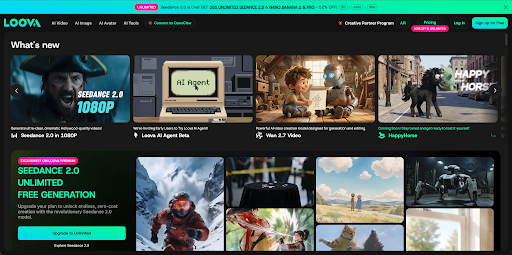
Loova stood out immediately, not because it’s just a video generator, but because it’s a full workflow system.
Instead of thinking in “single video outputs,” I used Loova more like a production pipeline.
With Loova, I could:
- Generate product images
- Turn image to video
- Generate videos from text
- Test multiple variations quickly
- Build ad creatives in different styles
What it’s best at
- End-to-end content creation
- Marketing videos and product ads
- Fast iteration and testing
Where it wins
The biggest advantage is workflow speed. I don’t need to switch tools for images, video, and editing. Everything is connected.
Where it’s weaker
It depends on the underlying models, so results vary depending on what you generate.
But for real marketing workflows, this flexibility is exactly what makes it useful.
Seedance — Best for Cinematic Realism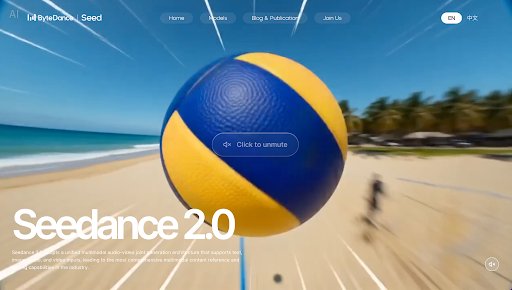
Seedance is strong when you want visually polished, cinematic-looking scenes.
Strengths
- High visual realism
- Smooth camera motion
- Good lighting and depth
Weak points
- Slower generation
- Less flexible for quick iterations
Best use case
Cinematic storytelling, brand films, and high-quality visual scenes.
Kling — Best for Motion Stability
Kling focuses more on movement consistency than flashy visuals.
Strengths
- Stable character motion
- Good scene continuity
- Reliable output for storytelling
Weak points
- Sensitive to prompt wording
- Less cinematic than top-tier tools
Best use case
Narrative videos with characters or structured scenes.
Vidu — Best for Fast Content Generation
Vidu is one of the fastest tools I tested.
Strengths
- Very fast output
- Simple interface
- Easy to use for beginners
Weak points
- Limited cinematic depth
- Less creative control
Best use case
Quick social media videos or idea testing.
Veo — Best for High-End Visual Quality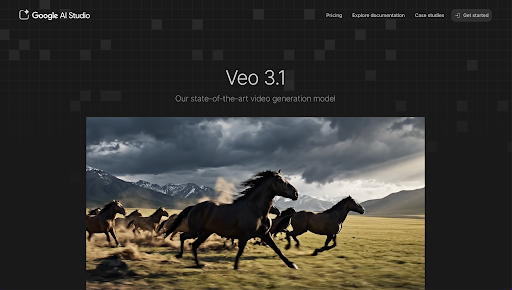
Veo is clearly built for top-tier visual quality.
Strengths
- Extremely realistic visuals
- Strong cinematic output
- High attention to detail
Weak points
- Limited access
- Not always fast or accessible
Best use case
Premium cinematic projects or high-end visual content.
PixVerse — Best for Social Media Creators
PixVerse feels designed for short-form content.
Strengths
- Easy to use
- Good for TikTok and Reels
- Fast output
Weak points
- Limited control for advanced scenes
Best use case
Short videos for social platforms.
Wan — Best for Experimental Content
Wan is more about exploration than production.
Strengths
- Creative variations
- Interesting visual styles
Weak points
- Inconsistent results
- Not production-ready every time
Best use case
Idea generation and visual experimentation.
Grok Imagine — Best for Fast Ideas
Grok Imagine is all about speed.
Strengths
- Quick concept generation
- Easy to test ideas
Weak points
- Limited cinematic quality
- Not suited for polished output
Best use case
Early-stage brainstorming and visual ideation.
HeyGen — Best for AI Avatar Videos
HeyGen is in a completely different category.
Instead of generating cinematic scenes, it focuses on talking avatars.
Strengths
- Realistic AI avatars
- Strong lip-sync accuracy
- Good voice integration
Weak points
- Not designed for cinematic storytelling
- Limited visual creativity
Best use case
Explainer videos, business presentations, and spokesperson content.
VEED — Best for AI Video Editing Workflows
VEED is more of a video editing tool with AI features layered on top.
Strengths
- Strong editing tools
- Subtitle generation
- Easy content repurposing
Weak points
- Not a true video generator
- Depends on input content
Best use case
Editing and optimizing existing videos for social media.
Head-to-Head Comparison (What I Found)
After testing everything, the differences became clearer.
Best overall workflow system
- Loova stands out because it connects the full process instead of focusing on one feature.
Best cinematic quality
- Veo
- Seedance
Best avatar videos
- HeyGen
Best editing tools
- VEED
Best fast generators
- Vidu
- Grok Imagine
Best for social content
- Pixverse
Best experimental tool
- Wan
Which AI Video Generator Should You Use?
Here’s how I would choose depending on the goal:
If you’re a beginner
- Loova AI
- Pixverse
- Vidu
- VEED
If you’re a marketer
- Loova AI
- HeyGen
- Kling
If you want cinematic videos
- Veo
- Seedance
If you focus on editing
- VEED
If you need business explainers
- HeyGen
Real Use Cases I Tested
These tools weren’t just tested in theory. I used them in real scenarios.
1. TikTok and Instagram ads
Fast tools like Vidu and Pixverse worked well for quick variations.
2. Product marketing videos
Loova worked best because I could generate images and videos in one flow.
3. AI avatar explainers
HeyGen was clearly the strongest here.
4. Content editing workflows
VEED made repurposing content fast and simple.
5. Cinematic storytelling
Seedance and Veo delivered the best visual quality.
Common Mistakes When Choosing AI Video Tools
I see the same mistakes happen often:
- Choosing tools based on hype instead of use case
- Expecting one tool to handle everything
- Not testing multiple prompts
- Ignoring workflow speed
- Overvaluing visuals instead of usability
The best results always come from matching the tool to the task.
Future of AI Video Generators
This space is still moving fast.
Here’s where things are going:
- Multi-tool AI systems that combine generation and editing
- Real-time video creation
- AI avatars blended with cinematic scenes
- Fully automated ad creation pipelines
- End-to-end content systems like Loova
The direction is clear: fewer tools per task, more complete workflows.
Final Thoughts
After testing all these AI video generators, one thing became clear.
There is no single winner. There are only better fits for different workflows.
If you want cinematic visuals, you pick one set of tools. If you want fast social content, you pick another. If you want a full production system, you use something like Loova that connects everything together.
FAQ — AI Video Generators
What is the best AI video generator in 2026?
There is no single best tool. Veo and Seedance lead in quality, while Loova is strong for full workflows.
Which AI video tool is most realistic?
Veo and Seedance produce the most realistic cinematic outputs.
Is Loova good for AI video creation?
Yes, Loova is useful for end-to-end workflows, especially for marketing and product videos.
What is HeyGen used for?
HeyGen is used for AI avatar videos like explainers and business presentations.
Is VEED good for AI video editing?
Yes, VEED is strong for editing, subtitles, and repurposing content.
Which AI tool is best for TikTok videos?
Pixverse, Vidu, and Loova-style workflows work well for short-form content.
Can AI video generators replace editors?
Not fully, but they can handle a large part of production and speed up workflows.
Is there an all-in-one AI video platform?
Yes, platforms like Loova aim to combine image generation, video creation, and workflow tools in one place.
