
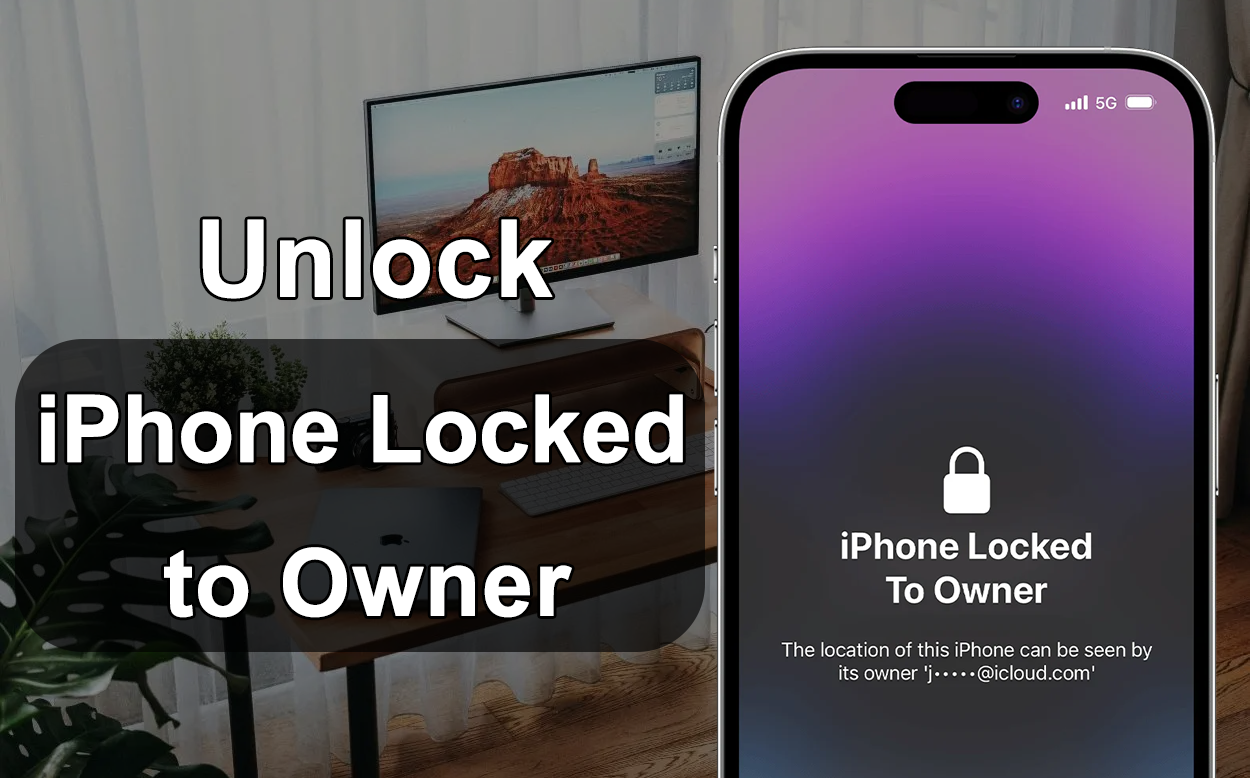
Buying a second-hand iPhone can sometimes come with unexpected problems. One of the most frustrating issues users face is seeing the message “iPhone Locked to Owner” during setup. This usually happens when the previous owner’s Apple ID is still linked to the device through Activation Lock, a security feature connected to Apple’s Find My system.
Many people start searching online for iCloud activation lock removal or ways to unlock an iPhone locked to owner. The good news is that there are several possible solutions depending on your situation. Some require contacting the previous owner, while others involve professional tools designed to remove the lock. In this guide, we’ll explain how Activation Lock works and walk through several practical methods that can help you regain access to your iPhone.
Quick Answer: Can You Unlock an iPhone Locked to Owner?
Yes, it is possible to unlock an iPhone locked to owner in certain situations. However, the method that works depends on factors such as:
- Whether you can contact the previous owner
- Whether you have proof of purchase
- Whether the Apple ID credentials are available
If none of those options are possible, many users turn to specialized software like MagFone iPhone Unlocker, designed for iCloud activation lock removal. Let’s look at the most common solutions.
What Does “iPhone Locked to Owner” Mean?
When an iPhone is connected to an Apple ID and Find My iPhone is enabled, the device automatically activates Activation Lock. This security system prevents anyone else from setting up or using the phone without the original Apple ID credentials.
Activation Lock usually appears after:
- Resetting an iPhone without signing out of iCloud
- Buying a second-hand device still linked to the previous owner
- Restoring a device through recovery mode or iTunes
When the phone restarts, Apple’s activation server checks whether the device is linked to an Apple ID. If it is, the setup process stops until the correct login information is entered. This is why users often search for ways to remove activation lock without the previous owner.
Method 1: Ask the Previous Owner to Remove the Device
The easiest and safest solution is to contact the previous owner and ask them to remove the device from their Apple ID. They can do this remotely through iCloud.
Ask the previous owner go to iCloud.com and sign in, open Find My. Select All Devices. Choose the locked iPhone. Click Remove from Account.
Once the device is removed, restart the iPhone and go through the setup process again. The activation lock screen should disappear. This method works quickly but is only possible if you can still contact the original owner.
Method 2: Request Help from Apple Support
Another official option is to contact Apple Support and request activation lock removal. However, Apple will only help if you can prove that you are the legitimate owner of the device. You will typically need original purchase receipt, serial number or IMEI, proof the device was bought legally. If Apple verifies your ownership, they may remove the lock from their servers.
The downside is that many users who buy second-hand devices online do not have the original receipt, making this method difficult.
Method 3: Use Professional Activation Lock Removal Software
When the previous owner cannot be contacted and official support is not available, some users rely on professional unlocking tools designed for iCloud activation lock removal.
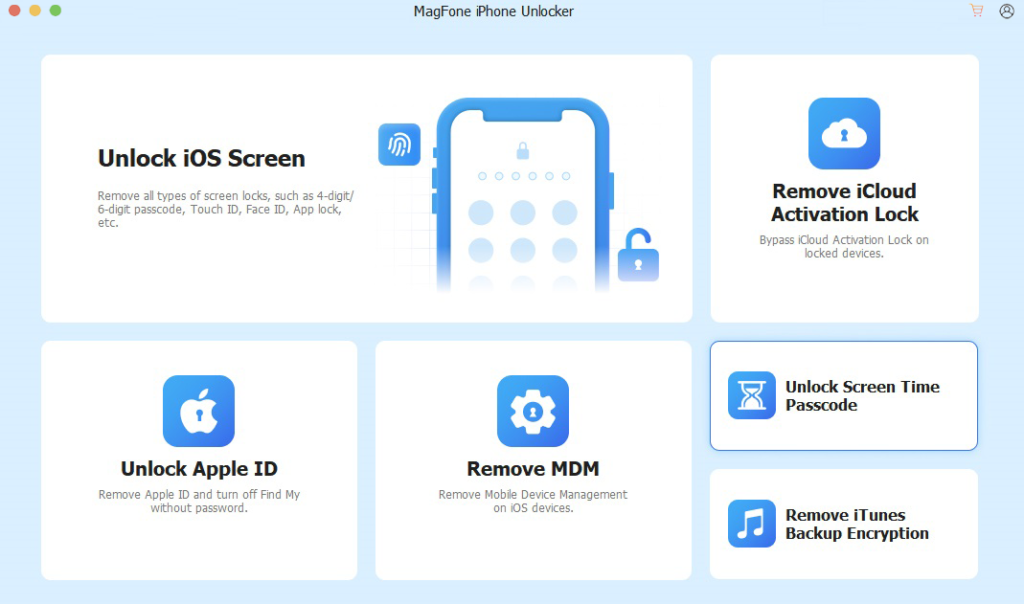
One example is MagFone iPhone Unlocker, a program designed to help users remove several types of iPhone locks, including activation lock screens, and unlock iPhone without passcode or Face ID. Tools like this are popular because they provide a more direct way to access a device when traditional methods are not possible.
Step 1: Installing the MagFone software on a computer. Connecting the locked iPhone with a USB cable. Select Remove iCloud Activation Lock in the main interface.
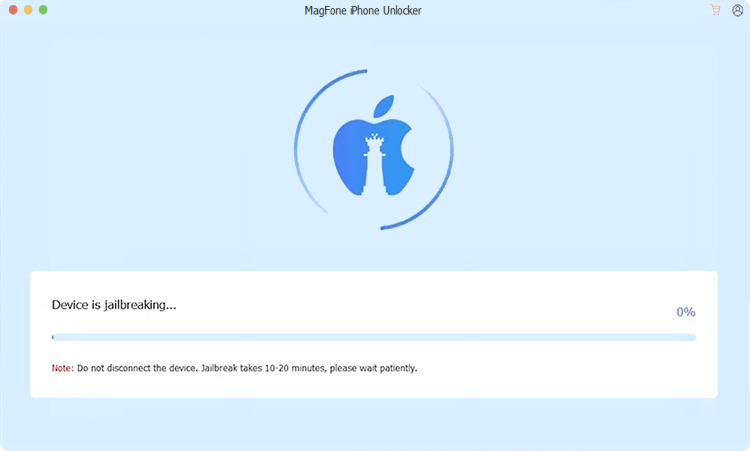
Step 2: Following the on-screen instructions to start the jailbreak process.
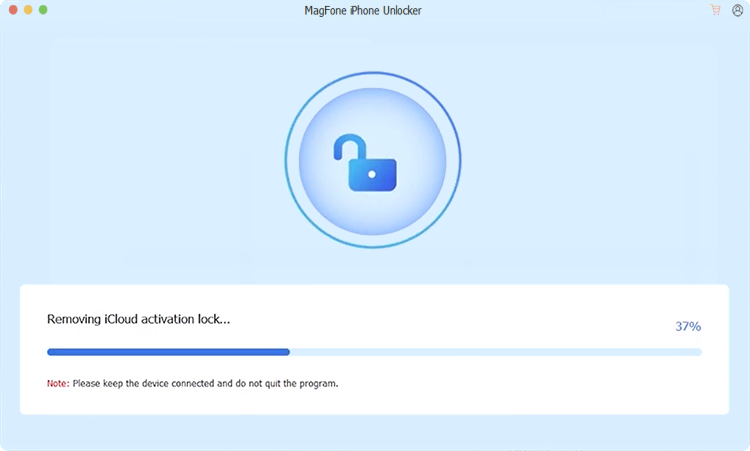
Step 3: Click Start to Remove button to begin iCloud removing process. After the procedure is completed, the device can typically be set up again with a different Apple ID.
Many users prefer this option because it does not require contacting the previous owner and the steps are relatively simple compared to manual workarounds.
Method 4: DNS Bypass (Temporary Access)
Another workaround sometimes mentioned online is the DNS bypass method. Instead of removing the activation lock completely, this technique redirects the device’s activation request to a different server.
Restarting the iPhone. Connecting to Wi-Fi during setup. Changing the DNS server manually.
This may provide temporary access to some basic features such as browsing or limited apps. However, for most users looking for a full solution, this method is not ideal, DNS bypass has several drawbacks:
- It does not permanently remove Activation Lock
- Device functionality remains restricted
- The workaround may stop working at any time
Tips Before Buying a Used iPhone
Activation Lock problems often happen when buying used devices online. To avoid this situation in the future, keep these tips in mind:
- Check the activation screen: Before purchasing a device, make sure it can pass the setup screen without asking for another Apple ID.
- Ask the seller to sign out of iCloud:The seller should remove their account from the phone before handing it over.
- Reset the device in front of you:If possible, watch the seller erase the device and complete the initial setup.
- Avoid suspiciously cheap offers:Devices sold at unusually low prices may be linked to another Apple ID.
FAQ About iCloud Activation Lock Removal
- Can activation lock be removed without the previous owner?
Yes, but it depends on the situation. Official removal usually requires the previous owner or proof of purchase. If neither is available, some users try professional unlocking tools.
- Is it legal to remove activation lock?
Removing activation lock is legal if you are the rightful owner of the device. You should never attempt to unlock a phone that was reported lost or stolen.
- Does resetting the iPhone remove activation lock?
No. A factory reset does not remove activation lock because the device is still linked to the Apple ID stored on Apple’s servers.
- What is the easiest way to unlock an iPhone locked to owner?
The easiest method is asking the previous owner to remove the device from their account. If that isn’t possible, many users look for specialized activation lock removal tools.
Final Thoughts
Seeing the “iPhone Locked to Owner” message can be frustrating, especially when you’ve just purchased a used device. Fortunately, several options may help depending on your situation.
If you can reach the previous owner, removing the device through iCloud is the fastest solution. If you have proof of purchase, Apple Support may also assist with activation lock removal. When those options aren’t available, specialized tools such as MagFone iPhone Unlocker are often considered by users who need an alternative way to regain access to their iPhones.
Understanding how Activation Lock works and checking devices carefully before buying them can help you avoid similar problems in the future.
