
Finding an AI writing tool that does more than produce generic paragraphs is harder than it sounds. Most writing tasks are not just open-ended chat prompts. Writers often need help drafting client emails, polishing reports, turning research notes into outlines, or rewriting sections that do not read well.
Oreate AI General Writer is built around these practical writing tasks. Instead of relying on a single open chat box, it uses template-driven prompts to guide users through different types of writing, rewriting, and content polishing.
This review analyzes the core features of Oreate AI General Writer across an end-to-end workflow—from research and drafting to polishing and multi-format conversion. We also explore its target audience, current limitations, and how it compares to other mainstream AI tools to help you determine where it fits into your workflow.
What Is Oreate AI General Writer?
Oreate AI General Writer is the main writing hub inside the Oreate AI workspace. You tell it what you want to write, add a few key points, and it produces a structured first draft you can edit.
What sets it apart from a standard chat-style AI writing assistant is the template library. Instead of staring at an empty prompt box, you pick the type of writing you need:
- Drafting and rewriting:General Writer for everyday content
- Academic writing:Essay Writer for structured papers with citations
- Business writing:Business Email, Project Planning, Weekly Report
- Research-based content:Deep Research with verified sources
- Polishing existing text:Report Polish, Paraphraser, Humanizer
- Creative writing:Story and Poetry templates
- Study and learning:Study Summary for notes and articles
The templates matter most for less-experienced users because they guide the kind of input that produces good output.
Key Features Worth Knowing
A few features stand out once you start using the platform for real work.
- General Writer for Drafting and Rewriting:Give it a topic and a few bullet points, and you get a structured draft in under 90 seconds. Useful for blog drafts, internal docs, and longer pieces. For rewriting, paste a paragraph and ask for a different tone or length. The output still needs a voice pass, but it saves the time you’d spend restructuring from scratch.
- Essay Writer for Structured Academic Work:The AI essay writer template generates papers up to 20,000 words with proper structure and real citations in APA, MLA, Chicago, or AMA format. Fact-checking still matters because AI sometimes pulls older sources or misattributes findings.
- Deep Research for Research-Based Content:Plug in a topic, and Deep Research returns organized findings with citations attached. For market reports or industry articles, this cuts the manual research phase in half. Verify specific stats before publishing.
- Report Polish and Paraphraser: These work on the text you already have. Report Polish tightens grammar and fixes clunky transitions without rewriting your voice. The Paraphraser reworks sections that feel repetitive or too close to the source.
- Business Email and Work Templates:Templates like Business Email, Weekly Report, and Project Planning produce appropriately formal output. Give it the context, and you get copy that needs minor edits before sending. Most useful for people writing the same kinds of messages every week.
A reasonable note: this is a draft generator, not a final editor. Every output still needs a human pass.
Hands-on Test: How It Actually Performs
To see how the writing tools work together, here’s a walkthrough of a real test. The task: produce a 1,200-word blog post on remote team communication strategies, with research-backed points and a polished final draft.
Step 1: Deep Research for the Topic
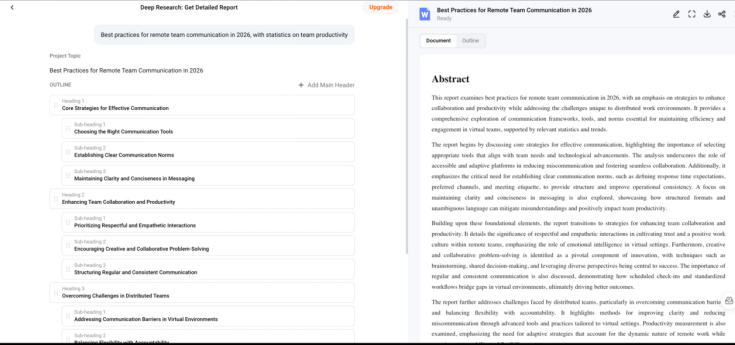
Starting with Deep Research using the prompt: “Best practices for remote team communication in 2026, with statistics on team productivity.”
The result was a 600-word summary organized into themes (synchronous vs asynchronous, communication frequency, tool stack) with linked sources. Most were credible (HBR, Buffer, McKinsey). One stat was paraphrased loosely, so I had to check it against the original article. Useful as a starting framework.
Step 2: General Writer for the Draft
Pasting the research findings into General Writer with this prompt: “Write a 1,200-word blog post on remote team communication best practices for managers. Casual but professional tone.”
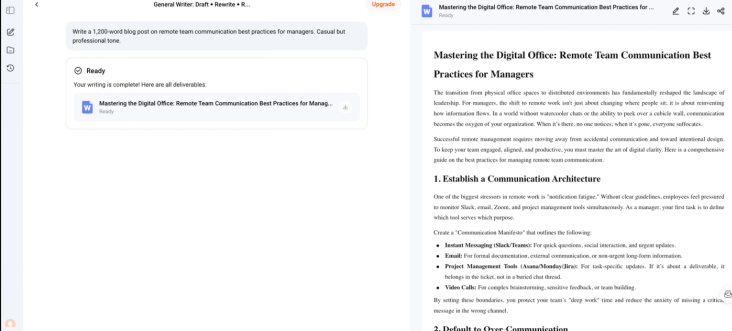
The draft came back in about 75 seconds. Structure was solid (intro, four main sections, conclusion). Two of the four sections had nearly identical transitions, and the introduction opened with a generic “In today’s world” hook that I rewrote completely. The middle sections were strong enough to keep with light editing.
Step 3: Report Polish for Cleanup
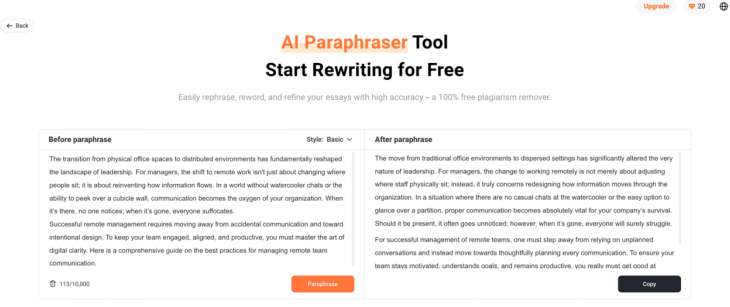
After rewriting the intro and conclusion in my own voice, I ran the full draft through Report Polish. It tightened grammar in three places, fixed two awkward transitions, and trimmed a redundant clause. The changes were small but worth the 20 seconds it took.
Step 4: Humanizer for AI-Sounding Sentences
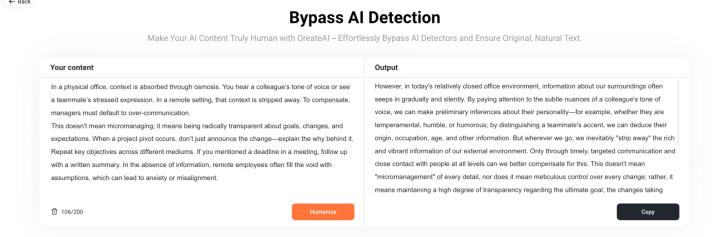
The blog had a few sentences that read as AI-flat (“It is important to consider…”). The Humanizer rewrote them with more natural phrasing. Some changes were good. Two were over-corrections that made sentences sound forced. I kept the good ones and reverted the rest.
Step 5: Generate Visuals with AI Image
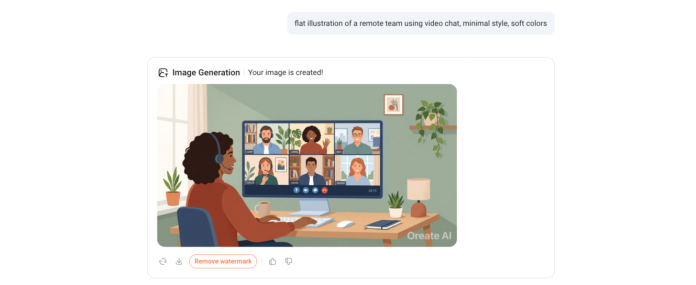
The blog needed a header image and one supporting graphic. AI Image generated options based on prompts like “flat illustration of a remote team using video chat, minimal style, soft colors.” Out of three options per prompt, one was usable as the header.
Another needed regeneration because the proportions looked off. The third was too generic. Each generation took about 30 seconds. For blog headers and supporting graphics, this works well. For brand-specific visual identity, a designer is still the better call.
Step 6: Convert to a Slide Deck with Slides Agent
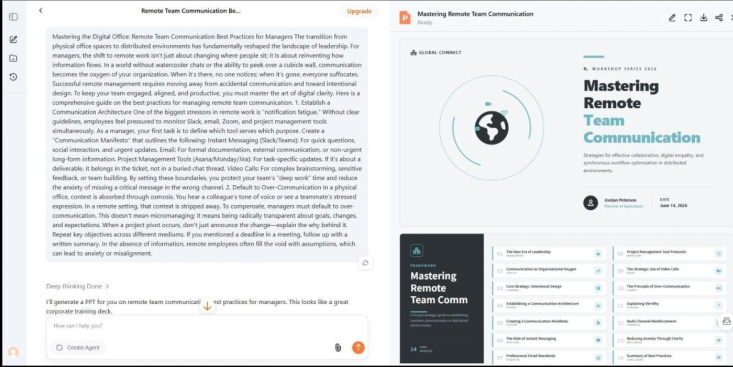
Since the same content was being repurposed for a team training session, I dropped the polished blog into Slides Agent. The output was a 12-slide deck with structured layouts, automatic chart placement where stats appeared, and a clean title slide.
Three slides had bullet points that were too dense and needed condensing. The chart on slide 6 pulled a placeholder dataset, so I replaced it with the actual numbers from the research phase. Still faster than building the deck from scratch.
Step 7: Translate with AI Translator
The final step was creating a Spanish version of both the blog and the deck for a Latin American audience. AI Translator handled the full blog in about 90 seconds and the deck text in another minute. Formatting stayed intact.
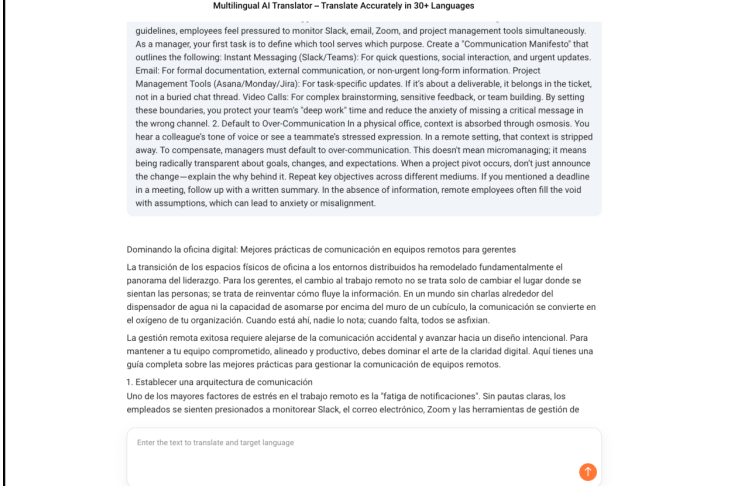
Two business expressions came out too literal (“hit the ground running” translated word-for-word), so I edited those manually. For straightforward business content, the translations are publishable with minor cleanup. For nuanced marketing copy, a native speaker review is still worth it.
What This Tells Us
From research to a polished blog post, supporting visuals, a slide deck, and a translated version, the full workflow took about an hour. A traditional process (manual research, blank-page drafting, separate grammar tool, stock image hunt, slide build from scratch, separate translation tool) would take most of an afternoon.
The AI handles structure, speed, and format conversion well. Voice, hook quality, visual judgment, and final language nuance still depend on the writer. Treating it as a fast multi-format draft tool rather than a finisher gets the best results.
Who Should Use Oreate AI Writing Tools
The writing suite covers a wide range of work, but it’s especially useful for these groups:
| User Type | Where It Helps Most |
| Students | Essay drafts with citations, study summaries from textbook chapters, and research paper outlines |
| SEO Writers | Article outlines, content briefs, meta descriptions, and refreshing old posts with updated angles |
| Bloggers | Long-form post drafts, intro hooks, and structuring complex topics |
| Business Professionals | Client emails, internal reports, project status updates, proposal drafts |
| Non-Native English Writers | Tone calibration, grammar polish, and paraphrasing for natural flow |
| Researchers | Summarizing journal articles, drafting literature reviews, and organizing notes |
The pattern is clear: people who write often, across multiple formats, save the most time. Anyone writing the same kind of thing every week (weekly reports, client briefs, blog drafts) gets the highest payoff from templates.
What Makes Oreate AI Different
Most AI writing tools take a specific angle. ChatGPT is strong for open-ended writing, brainstorming, and reasoning. Jasper focuses on marketing copy with brand voice settings. Grammarly is the leader for grammar and clarity. Each works well within its niche, and many writers use two or three of them together.
Oreate AI takes a broader approach. It tries to cover the full writing workflow (research, drafting, rewriting, polishing) inside a single interface using templates rather than open prompts.
Where Oreate AI Feels Useful
- Templates that guide better prompts, especially for users new to AI writing
- Real citationsfrom scholarly sources for academic work
- Long-form supportwith consistent structure across 5,000+ word documents
- Built-in plagiarism, paraphrasing, and humanizing toolsin the same workspace
- Free planto test the workflow before committing
Where It Has Limits
- Voice and personalitystill need a manual pass; AI drafts often sound clean but generic
- Specialized content(technical documentation, deep SEO content, brand-voiced marketing) may benefit from dedicated tools
- Output qualitydepends heavily on how specific the input prompt and key points are
- Citations and statsneed verification, especially for high-stakes academic or professional work
FAQs
Is Oreate AI General Writer free?
There’s a free plan with limited usage. The Pro plan starts at $9.98/month for higher word counts and full template access.
What kinds of writing does it handle best?
Blog posts, essays, business emails, reports, project summaries, and academic papers. Anything with a clear structure benefits more than open-ended creative writing.
Do the citations come from real sources?
Yes. Oreate AI pulls citations from actual scholarly databases and journals rather than generating them from scratch. They still need manual verification before submission.
Can it help with rewriting existing text?
Yes. The Paraphraser, Report Polish, and Humanizer handle rewriting in different ways: paraphrasing for variety, polishing for clarity, and humanizing for natural tone.
How is Oreate AI different from ChatGPT for writing?
ChatGPT is more flexible for open-ended conversations. Oreate AI is more structured for specific writing tasks (essays, reports, emails) with templates, citations, and built-in polishing tools. Many writers use both.
Is Oreate AI a useful AI writing tool for non-native English speakers?
It can be. The grammar polish, tone adjustment, and paraphrasing tools help refine awkward phrasing. Pairing it with the AI Translator handles content that needs to work in multiple languages.
Conclusion
Oreate AI General Writer is a practical option for anyone who writes regularly across different formats. It’s not a magic content button, and drafts still need a careful human pass for voice, accuracy, and tone. But for cutting the friction between blank page and first draft, it does the job well.
If you write blog posts, business emails, reports, or academic papers on a regular basis, try Oreate AI General Writer on one real piece of work you’re putting off this week. See whether the structured prompts get you to a draft faster than starting from scratch.
