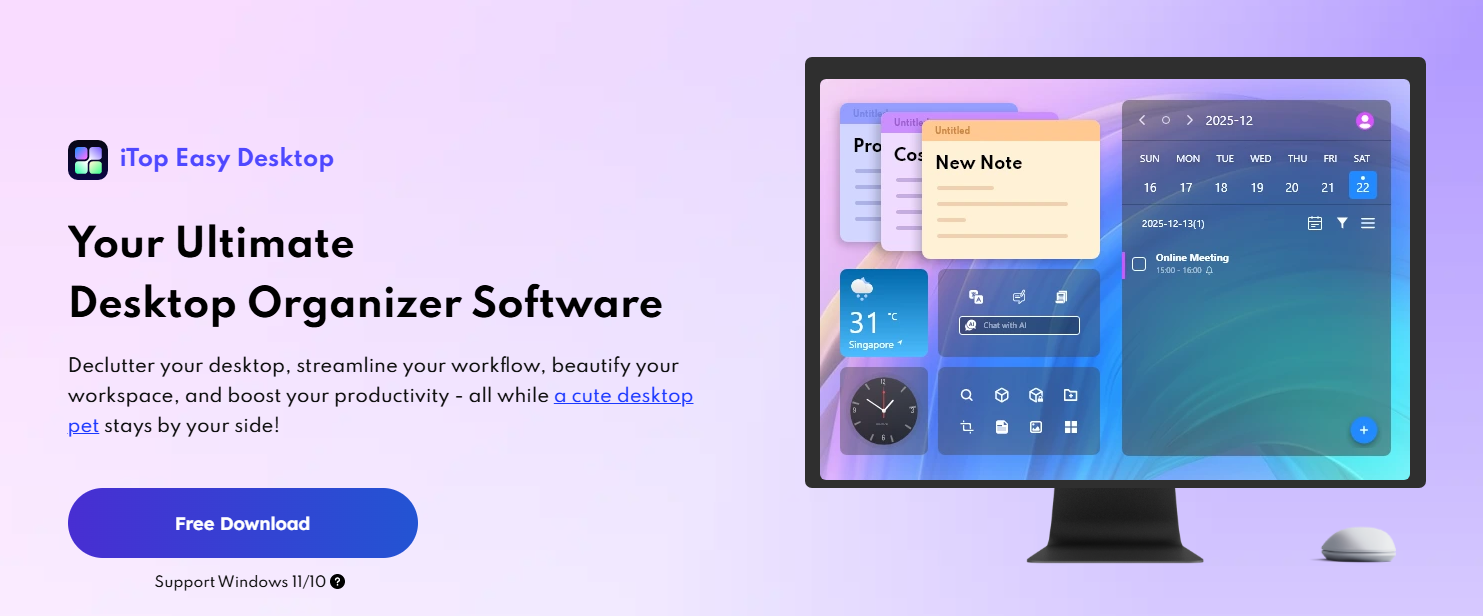
I used to believe desktop clutter was simply part of using a computer every day. With every new download, screenshot, document, and shortcut, my desktop became more crowded without me even noticing.
Eventually, finding a single file meant searching through dozens of icons, and what should have taken a few seconds often turned into several frustrating minutes. The clutter wasn’t just making my desktop look messy. It was affecting my workflow and making simple tasks feel more time-consuming than they needed to be. I knew I needed a better way to keep everything organized without spending time cleaning up my desktop every day.
Installing the Software Was the First Step Toward a Cleaner Workspace
After comparing a few different options, I decided to download iTop Easy Desktop to see whether it could actually solve my desktop organization problem. The installation process was refreshingly simple.
I downloaded it from the iTop official website, ran the installer, and within a couple of minutes, it was ready to use. From the first time opening it, the interface was instantly intuitive and immediately clean and intuitive.
It had clear labelling so I didn’t waste my time working out what did what, but the software didn’t give me an enormous number of choices, and it was clear that I could get started organizing my computer desktop with minimal fuss. Which, for someone who likes tools that are easy yet extremely powerful, like I do, made an impressive first impact.
My Desktop Finally Started Looking Like a Workspace
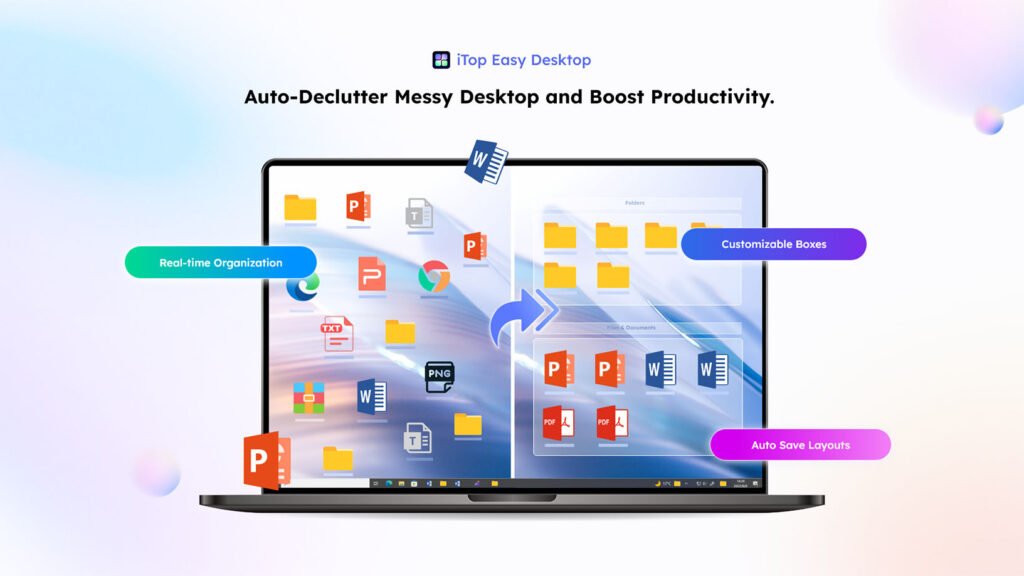
After installing the software, I then proceeded to organize my desktop. Normally, my desktop would become a chaotic mess of documents and images which I would spend ages creating and organizing.
With this application, I could simply designate certain areas of my desktop for specific file types and the software neatly sorts my files for me! It’s awesome how I define where documents will appear, pictures will appear, and so on; my desktop no longer becomes just a collection of stuff that all just appeared there out of the blue.
What I liked best of all was that this was not a static layout; the regions can be moved around to suit you. Just minutes later, my desktop was tidier than it had been in a year and much easier to find things in, too.
Also, I found myself wanting to keep my desktop organised during the day too, which is helpful for when new downloads arrive!
Live Wallpapers Added a Fresh Look Without Feeling Distracting
I’ve always liked making my computer look the way that I want. But one thing I can’t stand is static wallpapers that you never change.
After installing a live wallpaper pack, my desktop was completely transformed. My background doesn’t look the same every day; it feels fresh but at the same time work-friendly.
I found that switching wallpapers is incredibly easy, so I could switch them up when I’m working hard or when I want to be more relaxed.
I thought that the backgrounds would affect the performance, but surprisingly, the wallpaper still played nicely even as I was still working. The desktop management system + awesome wallpapers made my computer feel brand new without me even upgrading!
Useful Widgets Kept Important Information in Front of Me\
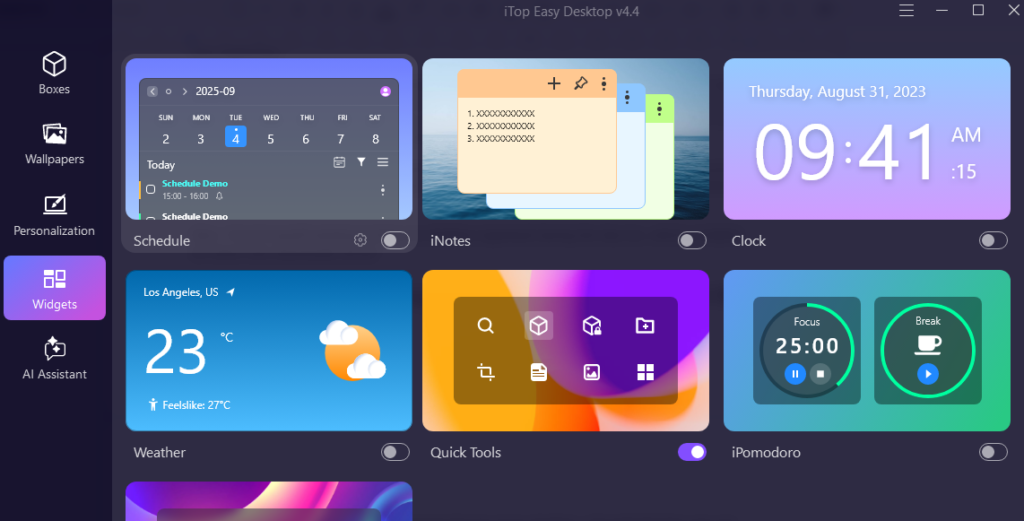
I proceeded with the widgets after arranging the top of my desktop. I thought that this was not going to get me much, but I ended up loving and using them more often than I expected.
The clock widget is perfect for me, as I always knew what the time was while doing some stuff without having to check anything online. The weather widget was pretty awesome, checking the time outside when I left without checking my browser. iPomodoro can minimize distractions and maintain high concentration by breaking down work into focused intervals, typically 25 minutes in length, separated by short breaks. Meet PawPal – a cute and adorable digital pet that supports various interactions to accompany you at any time!
There were more than a dozen widgets that were available, so it made the desktop very practical instead of just looking nice. Rather than filling my screen with unnecessary information, the widgets provided quick access to things I actually use every day.
Customizing Windows Became Much More Convenient
The other cool thing about this software was that a lot of personalization settings are centralized. Usually, when you make appearance changes in Windows, you go to different settings panes; with this program, most of the options were contained within one interface.
This was super handy for quick personalization changes I wanted to make. I played around with desktop themes, the start menu, taskbar options, desktop icons, mouse styles, etc.
I could change options much faster than if I went into all the different Windows settings menus. I felt I could really get down and dirty with my personalization without having to have multiple small applications installed just to do a single little thing.
Small Features Made a Bigger Difference Than I Expected
During the software installation, I also found other functionalities that helped my daily experience.
First, I particularly liked being able to choose when to hide desktop icons in order to have a much cleaner desktop area, especially when giving a presentation or when screen-recording the work I’m doing. Quick search functionalities made searching files on my computer easier and faster without me needing to browse through folders.
The software has a very cool feature where I can take notes and post them on my Desktop, rather than having to open a dedicated application.
It Helped Me Build Better Habits
Another thing I didn’t foresee was how the software altered the way I handle my documents. I would often download and leave papers lying on the desk for days or even weeks! Having sorted it out into the different categories, it became natural to file documents in their correct place.
The tidy Desktop layout also made it a lot more obvious to see when loose, unnecessary items started accumulating. My Desktop would thus remain tidy rather than gradually filling up again, and the consistency that came with that reduced the daily pressure I’d previously had, hunting around for papers.
My Overall Experience
After investing a while in decorating my desktop to match how I use my PC, I can see some noticeable changes in how I use my computer every day.
File management is much faster, my desktop feels much tidier, and I even found new customization features that enable me to configure my desktop according to how I work best. So a simple file organizing tool for the desktop turned out to be a fully fledged desktop management solution that helps organize and decorate my Windows PC.
The best desktop organizer software for a messy PC desktop. If you notice your desktop overflowing with files, folders, downloads, and shortcuts, then iTop Easy Desktop organization will do wonders for it. After this system helped organize my desktop in the best possible manner, with the help of awesome widgets, cool personalization, live wallpaper and much more, it made my PC feel much better to use day by day.