
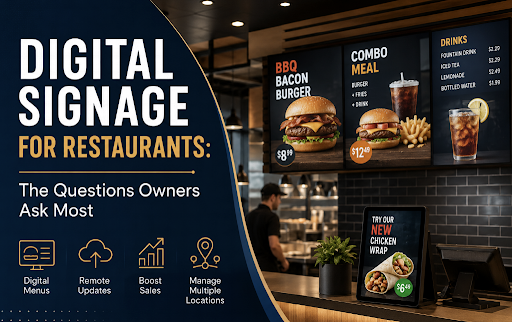
Walk into almost any modern restaurant and you are likely to see digital screens doing more than simply displaying a menu. Restaurants use digital signage for menu boards, promotions, limited-time offers, order information, entertainment, and even operational messaging.
For restaurant owners, however, adopting digital signage usually comes with plenty of questions. How much does it cost? Can menus be updated remotely? What happens if the internet goes down? Can existing TVs be used? And perhaps most importantly, will digital signage actually make running the restaurant easier?
Below are answers to some of the questions restaurant owners ask most when considering digital signage.
What Is Digital Signage for Restaurants?
Digital signage is a system that allows restaurants to display and manage visual content on screens. Instead of relying entirely on printed menu boards, posters, and promotional signs, restaurants can use digital displays connected to signage software or a media player.
Typical restaurant digital signage includes:
- Digital menu boards
- Drive-thru menu displays
- Promotional screens
- Self-service kiosk displays
- Order-status screens
- Screens showing specials or seasonal items
- Customer entertainment and branded content
- Internal screens for employees
The major advantage is flexibility. A printed menu has to be physically replaced when something changes. A digital menu can potentially be changed within minutes.
Why Are Restaurants Switching to Digital Menu Boards?
Convenience is one of the biggest reasons.
Restaurants regularly change prices, introduce seasonal products, run promotions, or temporarily sell out of certain dishes. Updating printed materials every time can become expensive and inconvenient.
With centrally managed digital signage, an authorized employee can update content without replacing the physical display.
Digital menu boards also give restaurants more freedom in how products are presented. Instead of fitting everything onto a static board, restaurants can rotate content and use high-quality photography, animations, or videos to highlight selected items.
That makes the screen both a menu and a marketing channel.
Can Digital Signage Help Increase Restaurant Sales?
It can, particularly when the content is designed strategically.
Restaurants can use screens to draw attention to profitable products, upgrades, meal combinations, desserts, drinks, and limited-time offers.
For example, rather than simply listing fries somewhere on a large menu, a restaurant could dedicate part of a screen to an attractive meal-upgrade promotion at the appropriate time of day.
Digital signage also allows restaurants to change what they promote according to context. Breakfast items can appear in the morning, lunch combinations later in the day, and dinner promotions in the evening.
The technology itself does not guarantee higher sales. The results depend heavily on screen placement, menu design, pricing, imagery, and the offers being promoted.
How Quickly Can I Change a Digital Menu?
With a cloud-managed signage platform, updates can often be made remotely and published without physically visiting every screen.
This becomes particularly valuable for restaurant groups.
Imagine operating ten locations and needing to change the price of one product. With printed signage, each location may need replacement materials. With centrally controlled digital signage, the same change can potentially be distributed across multiple locations from one management interface.
Restaurants can also schedule content in advance. A breakfast menu might automatically switch to lunch at a predetermined time, while a weekend promotion could appear only on Saturdays and Sundays.
Do I Need Special Screens?
Not necessarily.
The requirements depend on the digital signage platform and the environment where the screen will operate. Commercial signage displays are generally designed for longer operating hours and business environments, while some smaller restaurants may investigate whether their existing compatible displays can be incorporated into a signage system.
Restaurants using Samsung commercial displays, for instance, may encounter screens built around the Tizen operating system. In those environments, choosing the right Samsung Tizen signage player can simplify content deployment by allowing compatible signage software to operate with the display’s built-in capabilities rather than requiring a traditional external media player in every installation.
Before purchasing hardware, restaurant owners should check display compatibility, operating-hour requirements, brightness, screen orientation, mounting requirements, and the signage software they intend to use.
What Is a Digital Signage Player?
A digital signage player is the component responsible for delivering signage content to a screen.
Traditionally, this could mean a small external computer or media player connected through HDMI. The player downloads or receives content from the signage platform and displays it according to the configured schedule.
However, not every installation requires a separate physical box. Some commercial displays have system-on-chip technology that can run compatible signage applications directly on the screen.
For restaurants with many displays, reducing the amount of additional hardware can make installation and ongoing maintenance considerably simpler.
What Software Do Restaurants Need?
Most restaurants need some form of content management system, commonly called a digital signage CMS.
This is where users typically upload images and videos, build playlists, organize screens, schedule promotions, and publish updates.
When comparing platforms, restaurant owners should consider:
- Ease of content management
- Remote screen management
- Scheduling capabilities
- Hardware compatibility
- Multi-location management
- User permissions
- Monitoring and device-status features
- Pricing and scalability
- Technical support
The best platform is not necessarily the one with the longest feature list. A restaurant with three menu screens has very different requirements from a franchise managing hundreds of displays.
Do I Have to Use Samsung MagicINFO With Samsung Displays?
Not necessarily. The right software depends on the displays, operating system, required features, and how the restaurant intends to manage its signage network.
MagicINFO is familiar to many organizations using Samsung commercial displays, but restaurant operators may also want to evaluate third-party platforms. Comparing MagicINFO alternatives can be useful when looking for differences in usability, deployment options, content management, device support, and pricing.
This is especially worth considering before rolling out dozens of screens. Changing a signage platform after a large deployment can be much more disruptive than comparing the available options during the planning stage.
Can One System Manage Several Restaurant Locations?
Yes. In fact, centralized management is one of the strongest reasons for restaurant groups to adopt digital signage.
A head office could maintain brand-wide content while still allowing individual locations to display relevant local information.
For example, a restaurant group might have:
Brand-wide content: core menus, branding, national promotions, and product photography.
Regional content: pricing or campaigns specific to a particular market.
Location-specific content: opening hours, local specials, unavailable products, or community promotions.
A well-designed signage setup can therefore provide centralized brand control without requiring every screen to display exactly the same content.
What Happens If the Internet Goes Down?
This depends on the signage platform.
Many professional systems are designed to download and cache content locally. If the internet connection temporarily disappears, the player can continue displaying previously downloaded material and reconnect to the management platform once connectivity returns.
Restaurant owners should confirm offline playback capabilities before selecting a system, especially when digital screens contain essential menu and pricing information.
Internet connectivity may still be required for publishing new content, receiving live data, monitoring devices, or using integrations that depend on external services.
Can Menus Change Automatically During the Day?
Yes, provided the signage software supports scheduling.
Dayparting is particularly useful in restaurants because customer demand changes throughout the day.
A restaurant could configure its screens to show:
6:00 a.m.–10:30 a.m. — Breakfast menu
10:30 a.m.–4:00 p.m. — Lunch menu
4:00 p.m.–close — Dinner menu
Promotional areas can change independently as well. Coffee could be emphasized in the morning, lunch combinations around midday, and desserts later in the evening.
Automating these changes reduces the possibility of employees forgetting to manually switch menus.
Can Digital Signage Show Live Information?
Potentially, yes.
Depending on the software and integrations available, screens can incorporate dynamic information such as order numbers, product availability, social content, weather information, promotional feeds, or data from other business systems.
Integrations should have a clear purpose, though. A restaurant menu needs to remain easy to understand. Adding dynamic elements simply because they are technically possible can make a screen distracting rather than useful.
How Much Does Restaurant Digital Signage Cost?
There is no universal price because several components affect the total cost.
A restaurant may need to budget for displays, mounting equipment, installation, signage software subscriptions, media players where required, networking, content creation, and ongoing maintenance.
The number of screens matters as well. A single promotional screen behind a counter is a very different project from a multi-location digital menu network.
Owners should therefore compare total cost of ownership, rather than focusing only on the initial price of a screen or monthly software subscription.
A slightly more expensive platform can sometimes be economical if it reduces hardware requirements, simplifies updates, or saves employees significant management time.
Is Digital Signage Difficult for Restaurant Employees to Manage?
It should not be.
Restaurant staff already have numerous operational responsibilities, so signage software should make routine tasks straightforward.
For many businesses, employees only need to perform a small number of actions: update a price, replace an image, publish a promotion, or check whether screens are online.
More advanced permissions can be reserved for managers or head-office administrators.
When evaluating software, it is worth having the people who will actually manage the screens test the workflow. A feature-rich platform offers little benefit if routine changes require extensive training.
Should Small Restaurants Use Digital Signage?
Digital signage is not limited to major chains.
A café, takeaway restaurant, bakery, bar, food court operator, or independent restaurant may benefit from even one or two screens, particularly if menus and promotions change frequently.
The important question is not the size of the business. It is whether digital displays solve a meaningful operational or marketing problem.
If a restaurant changes its menu once every three years, printed signage might remain perfectly adequate. If prices, products, and promotions change every week, digital signage becomes considerably more attractive.
What Should Restaurant Owners Look for Before Choosing a System?
Start with operational requirements rather than choosing software based solely on a demo.
Consider how many screens you need today and how many you may need later. Determine who will create and approve content, whether screens must work offline, how often menus change, whether multiple locations require centralized control, and whether your existing hardware is compatible.
It is also worth thinking about future expansion. A system that works perfectly for one restaurant may become cumbersome when the business expands to twenty locations.
Most importantly, test the everyday workflow. Try changing a menu item, scheduling a promotion, replacing an image, and managing multiple screens. These routine actions often reveal more about a signage platform than an extensive feature checklist.
Final Thoughts
Digital signage can turn restaurant screens into flexible operational and marketing tools. Menus can be updated faster, promotions can be scheduled around customer behavior, and multiple locations can potentially be managed from one central platform.
But successful restaurant signage is not simply about replacing printed boards with televisions.
The display hardware, signage player, content management software, network reliability, menu design, and internal workflow all need to work together.
Restaurant owners who start by asking practical questions—how content will be updated, who will manage it, what happens during an internet outage, and how easily the system can scale—are in a much better position to choose technology that remains useful long after the screens are installed.
