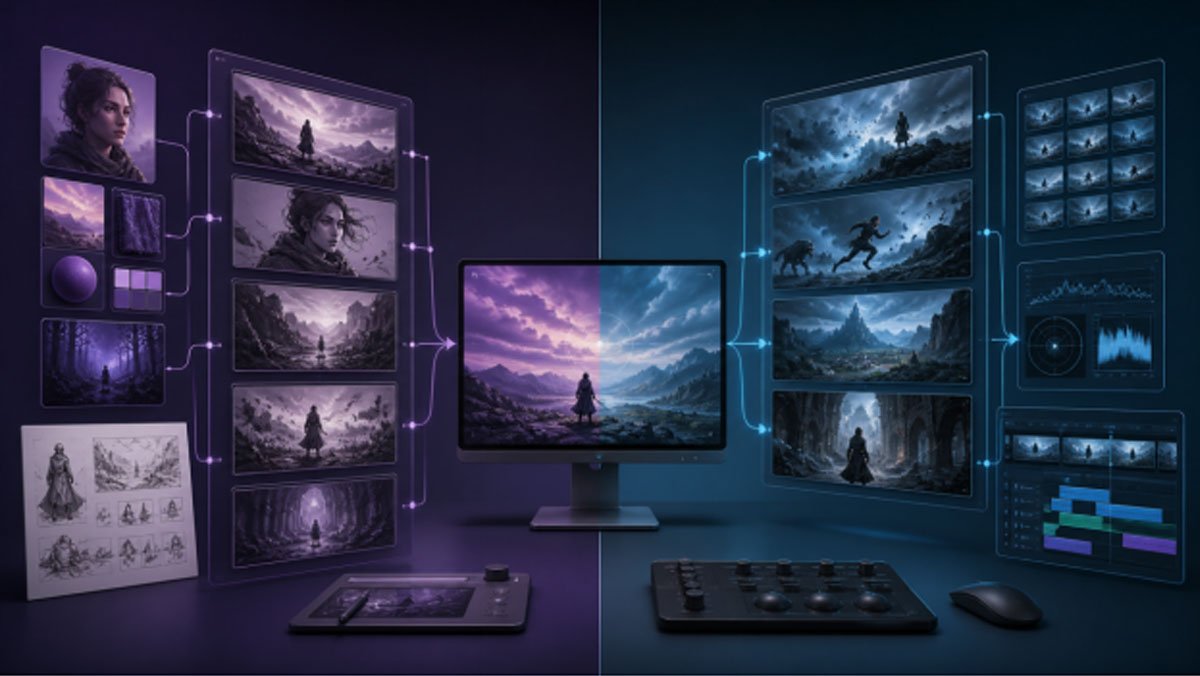
AI video comparisons often reduce a complex decision to a winner and a loser. One model is declared more cinematic, another more realistic, and a few impressive clips are treated as a universal verdict. That approach is entertaining, but it does not help a marketer who needs an accurate product video, a filmmaker planning connected shots, or a creator working with a limited number of generations.
The useful question in a Seedance vs Kling comparison is not “Which model is best?” It is “Which workflow gives this project the highest chance of a usable result?” The answer depends on inputs, motion, sound, duration, review time, and the cost of failure.
Start With the Deliverable
Define what must be delivered before comparing features. A silent atmospheric loop has different requirements from a talking character. A product advertisement prioritizes shape and brand accuracy, while a dance video prioritizes body movement and rhythm.
Write three lists:
- Must work: requirements that determine whether the clip is usable.
- Nice to have: details that improve the result but can be adjusted later.
- Can be edited: elements that a conventional editor can repair efficiently.
For a product launch, “bottle shape and label remain accurate” belongs under must work. “Mist moves perfectly” may be nice to have. Caption timing can be edited later. This prevents a visually impressive but commercially unusable clip from winning the test.
Compare Inputs Before Outputs
Seedance 2.0 was designed around unified text, image, video, and audio inputs. Its technical paper describes reference-to-video capabilities that can use these modalities for appearance, motion, camera language, editing, and sound. That is particularly relevant when a project already has a visual identity or reference material.
Kling also supports text-to-video and image-to-video workflows, with features and limits varying by model version and access tier. Instead of assuming feature parity, inspect the exact interface available to you. Ask whether it accepts the type and number of references the project needs, whether those references can be assigned clear roles, and whether the output settings suit the channel.
This check matters because model names are not the entire product experience. Queue times, credit rules, regional availability, moderation, resolution, and exposed controls may differ between platforms using the same underlying model.
Use a Fair Test Brief
A fair comparison uses the same communication goal, source assets, duration, and review standard. It does not require identical wording if the tools expect different prompt syntax. The goal is equivalent direction, not a copy-and-paste contest.
For example, a coffee brand might test this brief:
“Create a short morning product film. Preserve the package design from the reference image. Begin with a wide kitchen shot, move into a close detail of coffee pouring, and finish with the package centered beside the cup. Use warm sunrise light and quiet kitchen ambience.”
Give each system the same product image and desired duration. Limit the first round to the same number of attempts. Then compare complete results rather than selecting one exceptional frame.
Score the Result Across Five Dimensions
1. Reference Fidelity
Does the output preserve the identity-bearing details of the input? For a person, examine face, hairstyle, clothing, and accessories. For a product, check proportions, material, label, logo placement, and colors.
Small errors matter differently by project. A subtle wardrobe change may be acceptable in concept art but unacceptable in a recurring-character campaign.
2. Motion and Physical Coherence
Watch the whole clip at normal speed. Do feet contact the ground? Do objects keep their mass and shape? Does the direction of travel remain understandable? Does movement continue naturally across a cut?
Do not judge motion from selected screenshots. A beautiful frame can sit inside an unstable sequence.
3. Shot and Story Continuity
If the brief contains several shots, check whether they feel like parts of the same event. Look for sudden lighting changes, reversed positions, altered props, or a character who appears to teleport.
The strongest result is not necessarily the one with the most camera movement. It is the one where camera choices make the action easier to understand.
4. Sound and Synchronization
For dialogue, inspect lip movement, voice timing, and natural pauses. For music, check whether major visual changes align with the intended beats. For ambience, listen for sound that supports the environment without overwhelming the focal action.
Native audio can save time only when it is usable. If a team routinely replaces sound in post-production, visual control may deserve a higher score.
5. Correction Cost
Count how many generations, prompt changes, and editing minutes were needed to reach an acceptable result. A model that produces the strongest first clip may still be less efficient if minor revisions repeatedly damage elements that were already correct.
This is where a practical Seedance vs Kling test should differ from a highlight reel: it measures the path to delivery, not only peak quality.
Consider the Team, Not Just the Model
A solo creator may prefer an interface that reaches an acceptable result quickly. A studio may accept more setup in exchange for stronger reference control. A social team may value fast iteration and easy vertical output, while a filmmaker may prioritize shot continuity and the ability to build a sequence from several assets.
Experience also changes the result. A team with clean product photography and organized motion references can benefit from a multimodal workflow. A beginner with only a written concept may care more about strong text interpretation and simple defaults.
The Seedance AI workflow is especially worth testing when images, video, or audio references already exist and each needs a defined creative role.
Avoid Comparison Traps
Do not compare different durations, aspect ratios, or source quality. Do not give one model several attempts and judge the other from its first output. Avoid prompts based on protected characters or celebrity likenesses; apart from legal and ethical concerns, such material says little about routine commercial work.
Also record the date, model version, plan, and settings. AI video products change quickly. A conclusion without version context may be obsolete when another team repeats the test.
Choose Per Project When Necessary
There is no operational prize for using one model exclusively. A team may use one system for reference-driven product scenes and another for a different type of physical action. It may generate visuals in one place and complete sound, captions, and assembly in conventional editing software.
The right tool is the one that protects the project’s highest-priority requirements with the least unpredictable rework. Define the deliverable, run equivalent tests, score full clips, and include correction cost. That process produces a decision a team can defend—and repeat—long after the latest viral comparison disappears.